
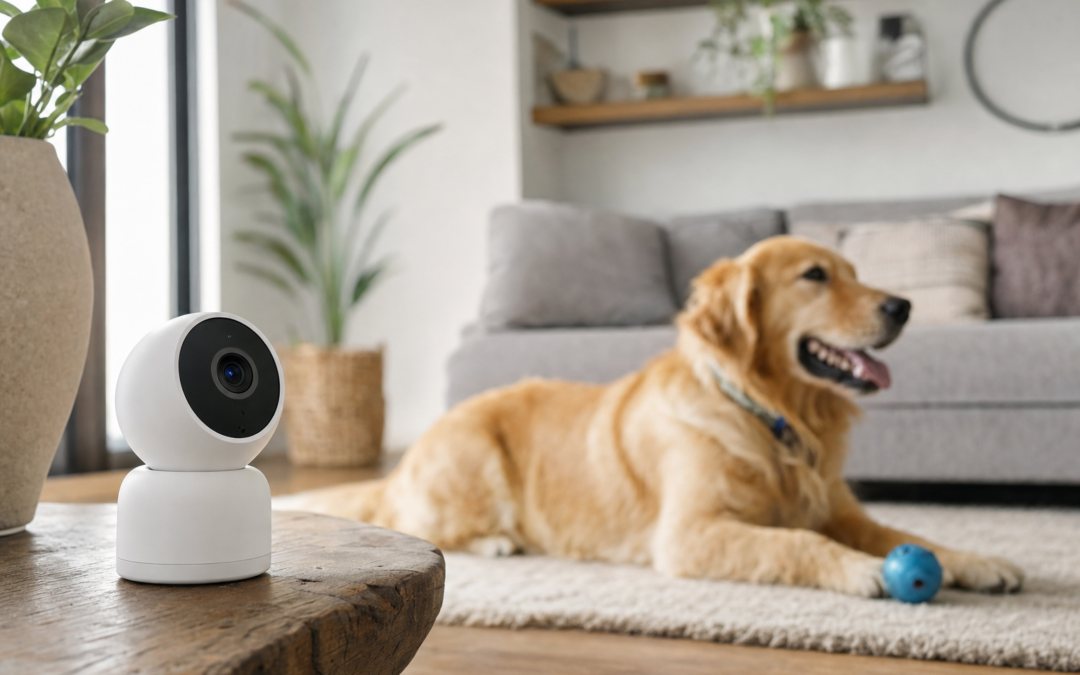
Indoor security cameras have become a crucial part of modern home protection, but for pet owners, the right camera does more than just monitor for intruders. If you share your space with dogs, cats, or other animals, your camera needs to catch real threats without being triggered by every tail wag, and ideally, it should help you keep tabs on your pets’ welfare while you’re away. The best indoor security cameras for homes with pets combine reliable motion detection, pet-friendly features, and easy remote access, all while remaining user-friendly for families of all sizes.
With so many options on the market, it can be tough to know which models are actually up to the task. This guide cuts through the marketing fluff to show you what really matters when choosing a pet-aware indoor security camera. We’ll cover camera types, essential features, setup tips, and how to minimize false alarms caused by your furry friends. Whether you want to check in on a mischievous kitten or be alerted if your dog gets into trouble, you’ll find the information you need to make a smart, pet-centric decision.
For a broader look at home camera systems, see our complete cameras & surveillance hub.
Why Pet-Aware Security Cameras Matter
Standard indoor security cameras are designed to capture movement, but in a pet-friendly home, that can lead to a flood of unnecessary notifications. Dogs pacing, cats leaping, or even a bird fluttering can all trigger basic motion sensors. Pet-aware cameras use advanced algorithms, adjustable sensitivity, and sometimes AI to distinguish between pet and human movement. This drastically reduces false alarms, so you only get notified when it matters most—like an actual break-in or unsafe behavior from your pets.
Additionally, pet-focused features like two-way audio, treat tossing, and clear night vision make it easier to interact with and monitor your pets throughout the day and night. These specialized cameras help you maintain peace of mind, knowing your home and its four-legged residents are protected.
Key Features to Look for in Pet-Friendly Cameras
When shopping for an indoor security camera for a home with pets, prioritize features that address common pet-owner concerns. Here are the most important attributes to consider:
- Customizable Motion Detection: Look for cameras that let you set activity zones or adjust sensitivity, so you can ignore movement in areas where pets roam.
- AI Human/Pet Detection: Some models use AI to tell the difference between pets and people, reducing false alerts.
- Two-Way Audio: This lets you reassure your pets or correct unwanted behavior remotely.
- High-Quality Night Vision: Many pets are active at night, so clear low-light footage is essential.
- Mobile App Support: A user-friendly app lets you check in on your pets and receive notifications wherever you are.
- Durable Design: Choose a camera that can withstand curious noses, paws, or the occasional knock-over.
Camera Types: Bullet, Dome, and More
Indoor cameras come in several shapes and sizes, each with its own strengths for pet monitoring:
- Bullet Cameras: These are typically slim, wall-mounted devices that provide a fixed field of view. They’re good for hallways or rooms where you want a dedicated angle.
- Dome Cameras: Dome styles, often with pan and tilt features, are excellent for wide coverage. They can follow your pet’s movement across a larger area and are less likely to be tampered with by curious animals.
- Compact Standalone Cameras: These are easy to move from room to room and can sit on shelves, making them flexible for rental homes or apartments.
Consider where your pets spend most of their time and choose a camera type that matches the layout and activity zones of your home.
Reducing False Alarms from Pet Movement
One of the biggest frustrations for pet owners is the constant stream of notifications caused by harmless pet activity. To avoid this, look for cameras that offer:
- Adjustable Sensitivity: Lower the sensitivity so minor movements (like a cat jumping onto a couch) don’t trigger an alert.
- Activity Zones: Many cameras let you block out certain areas (like the floor) from motion detection, so you only get alerts for movement where you need it.
- AI-Powered Filtering: Some models can recognize the difference between a person and a pet, only sending alerts for human movement.
Proper setup is key. Position your camera so it has a clear view of entry points, but isn’t aimed directly at areas where pets play or rest most of the time. This minimizes false positives and ensures you’re only notified when something unusual happens.
Placement Tips for Pet Owners
Choosing the right spot for your camera is just as important as the camera itself. Here are some tips for optimal placement in pet-friendly homes:
- Mount Above Pet Height: Place cameras higher on walls or shelves to avoid direct tampering and to get a better overview.
- Avoid Facing Pet Zones: Don’t aim cameras directly at litter boxes, pet beds, or food stations if you want to reduce unnecessary alerts.
- Cover Entryways: Focus on doors and windows, where intruders are most likely to enter.
- Mind Power Cords: Secure cords and power adapters out of reach, especially for teething puppies or curious cats.
Remember, pets can be unpredictable—especially rambunctious puppies or agile cats. Test your setup for a few days and adjust angles or sensitivity as needed.
Top Pet-Aware Indoor Security Camera Picks for 2026
After comparing dozens of models, we’ve identified several standout cameras that balance smart detection with quality video and pet-friendly features. Here are our top picks for 2026:

Cinnado 2K Security Camera Indoor for Pet/Dog/Baby with Phone App Review — Practical dome cameras from Cinnado, summarized from hub features and listed measurements. Key figures include 360, 2, 1 pack.

Ring Indoor Cam, Home or business security in 1080p HD video, White Review — Ring surveillance cameras gear aimed at buyers who want clear specs before they click through. Key figures include 53, 1 , 1.93 .

TP-Link Tapo 1080P Indoor Security Camera for Baby Monitor Review — A This pick in Bullet Cameras that focuses on real-world usability Key figures include 2, 30 Ft, 30 feet.
Comparing Camera Features for Pet Monitoring
Not all cameras are created equal when it comes to watching over pets. Here’s how some of the most popular models stack up on key features:
- Resolution and Field of View: Higher resolution (2K or 1080p) provides clearer images, crucial for identifying pets’ behavior or checking if someone’s at the door. A wide field of view (FOV) lets you cover more of the room, so you don’t miss a thing.
- Two-Way Audio: This feature is invaluable for pet owners who want to interact with their pets. You can soothe an anxious dog, distract a cat from mischief, or simply say hello during your workday.
- Night Vision: Look for infrared or color night vision, especially if your pets are active after dark or you want 24/7 coverage.
- Cloud and Local Storage: Decide whether you want footage stored in the cloud (for access anywhere) or on a local SD card (for privacy).
- Smart Alerts: Cameras with customizable notifications help you stay informed about real events, not every time your cat walks through the room.
Weigh these features against your budget and specific pet needs to choose the right fit for your home.
Integrating Cameras with Smart Home Systems
If you already use smart home devices—like Alexa, Google Assistant, or Apple HomeKit—choose a camera that integrates smoothly with your ecosystem. This allows you to view camera feeds on smart displays, set up routines (like turning on lights when motion is detected), or even trigger pet-specific automations.
For example, you could set your smart speaker to announce when your dog enters a particular room, or automate a calming playlist when your pet is home alone. Integration also makes it easier to manage multiple cameras and other security devices from a single app.
Privacy and Data Security Considerations
Security cameras bring peace of mind, but they also raise privacy concerns. When shopping for a camera, consider:
- Encrypted Video Streams: Ensure your camera transmits and stores footage securely, protecting against hackers.
- Privacy Modes: Some models include a physical shutter or privacy mode to disable recording when you’re home.
- Account Security: Use strong, unique passwords for your camera accounts and enable two-factor authentication when possible.
Choose reputable brands with clear privacy policies, and regularly update your device firmware to patch any vulnerabilities.
Setting Up and Using Your Camera for Pet Monitoring
Getting the most out of your indoor security camera means more than just plugging it in. Here’s how to set up and use your camera for optimal pet monitoring:
- Follow Manufacturer Instructions: Each camera has unique setup steps. Download the latest app and complete all firmware updates.
- Test Motion Zones: Walk through your home and observe how the camera responds to both pet and human movement. Adjust zones and sensitivity accordingly.
- Try Two-Way Audio: Speak to your pets via the camera and observe their reaction. Some pets may find the disembodied voice confusing at first.
- Review Clips Regularly: Check saved footage to ensure the camera is capturing the right events and not missing anything important.
- Share Access Carefully: If you want family or pet-sitters to monitor your pets, use guest access features and never share your main login details.
Routine maintenance, such as cleaning the lens and checking for firmware updates, will keep your camera running smoothly for years to come.
Budget, Subscription, and Value for Pet Owners
Most high-quality indoor cameras are affordable, but many require a subscription for advanced features like cloud storage, AI detection, or extended video history. When comparing options, consider:
- Upfront Cost: While some cameras are inexpensive, the best value often comes from models that balance price with durability and features.
- Subscription Fees: Decide if you’re comfortable paying monthly for cloud storage or advanced AI features, or if local storage is enough.
- Warranty and Support: Choose brands with strong customer support and a solid warranty—especially important if your camera might be knocked over by an energetic pet.
Look for deals on multi-camera packs if you want coverage in several rooms, and read customer reviews to ensure the camera performs well in real-world, pet-filled environments.
Other Ways to Monitor and Protect Pets at Home
While cameras are a powerful tool, they’re just one part of a holistic pet safety plan. Consider supplementing your camera system with:
- Smart Sensors: Door and window sensors can alert you if a pet escapes or enters restricted areas.
- Pet-Safe Barriers: Baby gates and pet barriers can keep animals out of danger zones.
- Environmental Monitors: Devices that track temperature, humidity, or air quality help ensure your pets’ comfort and safety.
- Pet Activity Trackers: Wearable GPS or activity trackers provide peace of mind if your pet is particularly adventurous or prone to slipping outside.
Combined with a smart indoor camera, these solutions can help you create a safer, more comfortable environment for your pets—whether you’re home or away.
Final Thoughts: Choosing the Best Pet-Aware Camera for Your Home
Finding the best indoor security camera for homes with pets means balancing reliable home security with features that make life easier for both you and your animals. Pet-aware cameras prevent alert fatigue, let you check in on your pets at any time, and can even help you address behavioral issues or health concerns.
Take the time to research models, read real user reviews, and consider your home’s unique layout and your pets’ personalities before making a purchase. The right camera will give you peace of mind—so you can focus on enjoying your pets, not just monitoring them.

Blink Outdoor 4 – Wireless smart security camera Review — An editorial look at this Blink option for categories — specs first, marketing second. Key figures include 4 , 53, 5 .
For more guides and tips on securing your home and protecting your loved ones—two- or four-legged—visit our cameras & surveillance hub.
Essential Maintenance Tips for Indoor Security Cameras
To ensure your pet-friendly indoor security camera continues working reliably, regular maintenance is crucial. Pet hair, dust, and playful paws can all affect camera performance over time. Here’s how to keep your system in top shape:
- Clean the Lens Regularly: Wipe the camera lens with a microfiber cloth every couple of weeks to remove smudges or pet hair, which can blur footage.
- Check for Obstructions: Make sure pet toys, bedding, or furniture haven’t shifted in front of your camera’s field of view.
- Inspect Power Cables: Look for signs of chewing or fraying on cords, especially if you have teething puppies or curious cats. Replace damaged cables immediately to avoid fire hazards.
- Update Firmware: Manufacturers frequently release updates to improve performance and security. Set a reminder to check for and install firmware updates monthly.
- Test Connectivity: Periodically verify that your camera’s Wi-Fi connection is strong and stable, especially if you’ve moved your router or rearranged furniture.
- Review Storage: If your camera uses a microSD card, back up footage and reformat the card every few months to prevent data corruption.
By following these maintenance steps, you’ll extend the life of your equipment and ensure that you don’t miss critical moments, whether it’s a security event or a funny pet antic.
Common Mistakes to Avoid with Pet Camera Setup
Even the best indoor security camera can fall short if not set up correctly. Here are some mistakes pet owners often make—and how to avoid them:
- Placing Cameras Within Reach: Mounting cameras too low can make them targets for curious pets. Always install cameras above pet height to reduce tampering.
- Ignoring Blind Spots: Failing to account for corners and furniture can leave areas unmonitored. Walk through your home and assess the camera’s field of view before finalizing placement.
- Overlooking Privacy Settings: Some cameras automatically upload footage to the cloud. Be sure to review privacy settings and select local storage if you prefer.
- Forgetting to Adjust Sensitivity: Default motion detection settings may be too sensitive for homes with active pets. Tailor these settings to your household’s needs to avoid constant notifications.
- Neglecting App Alerts: Not all alerts require immediate action. Customize notification preferences so you’re only disturbed by important events.
Taking the time to set up your camera properly from the start not only saves you hassle—it also ensures your pets (and your sanity) are protected.
Checklist: Setting Up an Indoor Security Camera in a Home with Pets
- Choose a camera with pet-specific features (AI detection, adjustable zones).
- Decide on optimal placement, avoiding direct sightlines to pet beds and litter areas.
- Mount the camera securely above pet height to prevent tampering.
- Hide or secure power cables and adapters out of reach from pets.
- Configure motion sensitivity and activity zones to filter out routine pet movement.
- Test two-way audio to ensure you can communicate with pets if needed.
- Download and set up the manufacturer’s app on your phone for real-time monitoring and notifications.
- Check your Wi-Fi signal strength at the camera’s location for reliable streaming.
- Review privacy and storage settings (cloud vs. local storage).
- Perform a test run: leave the house, monitor alerts, and adjust settings as needed.
Completing this checklist helps ensure your camera works as intended and minimizes unnecessary interruptions.
Frequently Asked Questions About Pet-Friendly Indoor Security Cameras
Can my pet trigger the alarm or alert system?
Most modern indoor security cameras with pet awareness features are designed to minimize false alerts from animals. However, without proper setup—such as adjusting motion sensitivity and activity zones—pets can still trigger notifications. Choosing a camera with AI-based human/pet detection reduces the risk of unnecessary alerts.
Is it safe to use treat-tossing cameras for all pets?
Treat-tossing cameras can be a fun way to interact with dogs and some cats, but they aren’t suitable for every pet. Always use treats that are appropriate for your animal’s size and dietary needs. Avoid using this feature around pets that may become territorial or overly excited by treat dispensing, as it can cause stress or conflict.
Will my camera work at night if my pets are active?
Yes, most quality indoor security cameras come equipped with infrared night vision, allowing you to monitor pets in low light or complete darkness. Look for cameras with high-resolution night vision for the clearest possible footage.
How do I keep my camera safe from playful pets?
Mount your camera high on a wall or place it on a sturdy shelf out of reach. For added protection, use cable covers or cord clips to secure power adapters. Consider dome cameras, which are generally more tamper-resistant than bullet or standalone models.
Can I use indoor cameras to monitor multiple pets in different rooms?
Yes, many camera systems allow you to add multiple units throughout your home and view them all through a single app. If you have several pets, place cameras in key areas—like living rooms, hallways, or near entry points—to monitor activity and keep an eye on your animals’ well-being.
What should I do if my camera frequently disconnects from Wi-Fi?
Wi-Fi interruptions are common in larger homes or those with thick walls. Try relocating your router closer to your camera, or use a Wi-Fi extender to boost the signal. Regularly check for firmware updates, as they can improve connectivity. If issues persist, consider wired camera options for critical monitoring zones.
Are there privacy concerns with indoor cameras?
Yes, any device connected to the internet can pose privacy risks. Always use strong passwords, enable two-factor authentication, and regularly update your camera’s firmware. Review the manufacturer’s privacy policy to understand how your footage is stored and who can access it.
Expert Tips for Long-Term Success
As technology evolves, so do the features and capabilities of indoor security cameras. Stay informed about new updates and periodically review your camera’s settings to ensure optimal performance. If you adopt new pets or rearrange your home, revisit your camera placement and sensitivity settings. Finally, involve the whole family—teach everyone how to use the app and what to do if an alert is triggered. This proactive approach keeps both your home and your pets safe for years to come.