
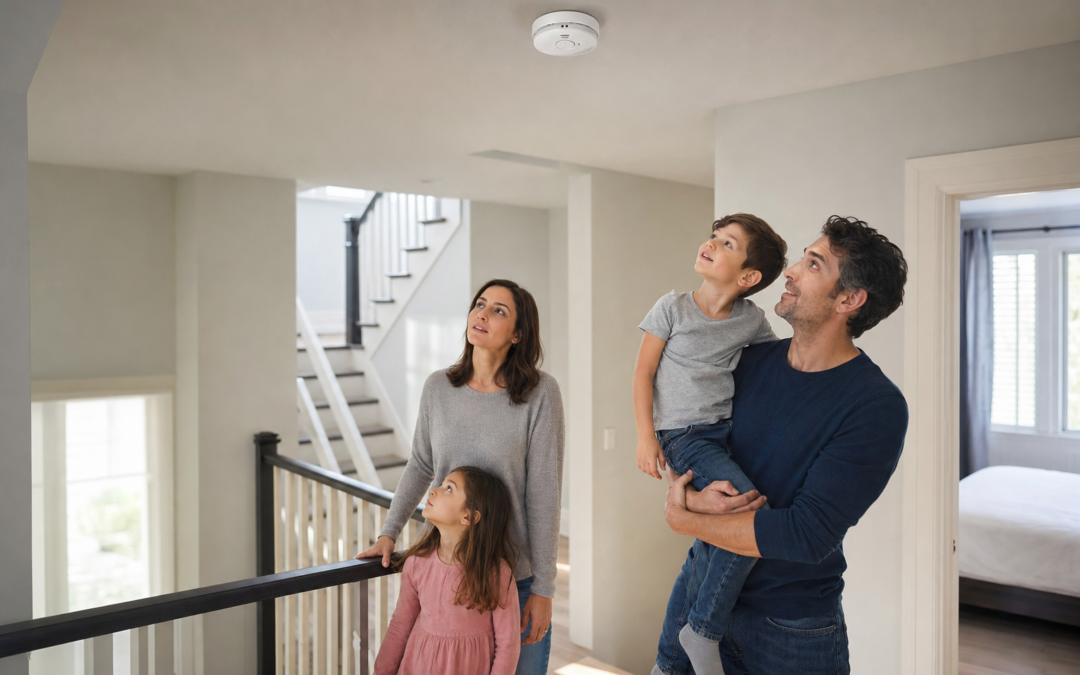
Carbon monoxide (CO) alarms are a critical safety feature for any home, but multilevel houses present special challenges. Ensuring that all alarms are interconnected and properly powered can make the difference between life and death in an emergency. In a multistory property, quick and unified notification across all floors is essential—especially when silent threats like carbon monoxide can spread undetected.
Whether you’re retrofitting an older home or building new, this guide will take you through the key considerations for CO alarm interconnectivity and power setups. We’ll explain how interconnected systems work, discuss power source choices, and provide practical tips on placement and maintenance. As an Amazon Associate, Home Defense Tips earns from qualifying purchases.
If you’re looking to compare other fire and safety devices for your home, our main fire safety hub offers detailed guidance and product roundups.
Why Interconnect CO Alarms in Multilevel Homes?
Carbon monoxide is odorless, colorless, and can move quickly through a home’s air. In a multilevel house, a CO leak in a basement or garage may not be noticed on upper floors until it’s too late. Interconnected CO alarms ensure that if one unit detects danger, all the alarms throughout the house will sound.
- Total Coverage: Interconnected systems maximize the chance everyone will hear the alarm, no matter where the threat originates.
- Early Warning: If you’re sleeping or in a remote part of the house, you’ll still be alerted.
- Building Codes: Many local codes now require interconnected alarms for new construction or significant remodeling.
Interconnecting CO alarms is not just about meeting code—it’s about giving your household the best possible chance to escape in an emergency.
Understanding CO Alarm Interconnect Technologies
There are two main ways CO alarms can communicate with each other: hardwired (physical wires) and wireless (radio frequency). Both have pros and cons.
- Hardwired Interconnect: Alarms are connected with a dedicated wire, usually run alongside household electrical wiring. When one alarm triggers, the signal travels via the wire to activate all units.
- Wireless Interconnect: Modern alarms can communicate using radio signals. No extra wiring is needed, which is ideal for retrofitting older homes.
Some advanced models support both methods, making them suitable for upgrades or mixed environments. Always check manufacturer compatibility—mixing brands or generations can cause reliability issues.
Hardwired vs. Battery-Powered CO Alarms: Which Should You Choose?
Power source is a crucial consideration. Multilevel homes often require a mix of alarm types due to electrical access, code requirements, and personal preference.
- Hardwired with Battery Backup: These alarms draw power from your home’s electrical system, with batteries as a fail-safe. They’re typically used in new builds and major remodels. Interconnection is straightforward via wiring.
- Battery-Powered: Easier to install, especially in finished homes where running new wires is impractical. Some modern battery alarms can still interconnect wirelessly.
- Plug-In Models: These plug into a wall outlet and often have battery backup. Less common for whole-home interconnect but useful for supplemental locations.
For maximum protection, use hardwired interconnected alarms wherever possible, supplemented by battery-powered wireless units where wiring isn’t feasible.

Kidde Compact Smoke Detector, AA Battery-Powered, 10SDR Review — Practical smoke detectors & fire alarms from Kidde, summarized from hub features and listed measurements. Key figures include 25, 85, 10.
Wiring and Interconnect Basics for Multilevel Installations
Installing interconnected CO alarms in a multistory home requires careful planning, especially for hardwired systems. Here are some practical steps and considerations:
- Dedicated Interconnect Wire: For hardwired models, use a three-wire cable (hot, neutral, interconnect) between alarms.
- Breaker Identification: Alarms should be on a dedicated circuit or a circuit that is always powered (not switched).
- Junction Boxes: Each alarm must be installed in an electrical box per code. Never “daisy-chain” alarms outside boxes.
- Wire Routing: Plan routes between all alarm locations—basement, each floor, and attic if applicable. Running wire between floors may require drilling and fishing through walls and ceilings.
- Professional Help: If you’re not experienced with electrical work, hire a licensed electrician. Incorrect wiring can cause alarms to malfunction or fail to interconnect.
Wireless interconnected alarms bypass these challenges, but you must ensure strong signal coverage throughout the house. Thick walls, distance, or metal barriers can interfere with wireless signals.
Where to Place CO Alarms in a Multilevel Home
Proper placement is just as important as interconnectivity. The National Fire Protection Association (NFPA) and manufacturers recommend:
- On every level of the home, including basement and attic if finished.
- Outside each separate sleeping area, in the immediate vicinity of bedrooms.
- Inside bedrooms if occupants use fuel-burning appliances or sleep with closed doors.
- Near, but not directly above, attached garages.
- At least 15 feet away from fuel-burning appliances to avoid false alarms.
Mount alarms on the ceiling or high on the wall, as CO mixes with air. Avoid installing in dead air spaces (like corners) or areas with high humidity (bathrooms, directly above sinks).

First Alert BRK SMI100-AC Hardwired Smoke Detector with Battery Backup Review — An editorial look at this First Alert option for smoke detectors & fire alarms — specs first, marketing second. Key figures include 6 pack, 120, 9.
Integrating Smoke and CO Alarms: Combo Options and Best Practices
Many modern alarms combine smoke and CO detection in a single unit. This reduces the number of devices on your walls and ceilings and simplifies maintenance. Here’s what to consider:
- Combo Alarms: Ensure any combo unit is listed for both smoke and CO detection (look for UL certification).
- Interconnect Compatibility: All interconnected alarms (CO, smoke, or combo) must be compatible. Mixing brands or models can cause alarm failures.
- Supplemental Units: In some areas, you may want dedicated CO-only or smoke-only units for extra coverage.
If you’re upgrading an existing interconnected smoke alarm system, look for CO alarms that can join the same interconnect network. Some systems require proprietary connectors or wireless modules.
Wireless Interconnected CO Alarm Systems: Setup and Limitations
Wireless interconnect systems are popular for retrofitting multilevel homes. They can be installed without running new wires, but you need to follow some best practices:
- Signal Range: Check manufacturer specs for maximum range between alarms. Test signal reliability on each floor before final installation.
- Pairing Process: Most wireless alarms require a pairing or linking process. Follow instructions carefully to ensure all units are on the same network.
- Battery Maintenance: Wireless units are often battery-powered, so keep up with battery replacement or choose models with long-life sealed batteries.
- Interconnect Limits: Some systems limit the number of interconnected units (e.g., up to 24). Make sure your home’s needs fit within the system’s capacity.
Wireless interconnect is a practical solution for finished homes or additions where wiring is difficult, but always test functionality after installation.
CO Alarm Power Sources: Battery, Hardwired, and Hybrid Solutions
The best CO alarm setup for a multilevel home often involves using multiple power sources, depending on each location’s accessibility and wiring:
- Hardwired: Most reliable for main living areas and new construction. Must have battery backup.
- Sealed Lithium Battery: 10-year sealed battery models are maintenance-free and ideal for locations where regular replacement is inconvenient.
- Plug-In: Useful for areas with accessible outlets, though not suitable as the only alarm type. Always choose models with battery backup.
For legacy systems or mixed environments, hybrid alarms that support both hardwired and wireless interconnect can bridge the gap between old and new sections of the house.

First Alert Battery Smoke Alarm Review — Practical smoke detectors & fire alarms from First Alert, summarized from hub features and listed measurements. Key figures include 3, 5.6 , 0.6 pounds.
Testing, Maintenance, and Troubleshooting for Interconnected CO Alarms
Once installed, interconnected CO alarms need regular testing and maintenance to ensure they function as intended:
- Monthly Testing: Press the test button on each alarm. All interconnected units should sound. If not, check wiring or wireless connections.
- Battery Replacement: Replace batteries at least once a year (unless using sealed 10-year batteries). Many alarms chirp when batteries are low.
- Cleaning: Dust and debris can affect sensors. Gently vacuum or wipe alarms every few months.
- End-of-Life Replacement: CO sensors degrade over time. Replace alarms every 5-10 years per manufacturer instructions.
- Troubleshooting: If alarms don’t interconnect, recheck wiring, replace dead batteries, or re-pair wireless units. Consult manuals for error indicators (blinking lights, beeps).
Regular testing is your best defense against system failure. Log each test and battery change on a calendar or set reminders on your phone.
Meeting Local Building Codes and Insurance Requirements
Before you install or upgrade your CO alarm system, check local building codes. Many municipalities require interconnected, hardwired alarms in new homes or during major renovations. Requirements may specify:
- Alarm placement (per floor and near bedrooms)
- Interconnectivity (all alarms must sound together)
- Power source (hardwired with battery backup)
- UL or ETL listing for CO and smoke detectors
Compliance is not only about safety—insurance policies may require documented proof of up-to-date, code-compliant alarms for full coverage after an incident. Keep receipts and installation records for your insurer.
CO Alarm Installation: DIY vs. Professional
Many battery-powered and wireless interconnected alarms are designed for easy DIY installation, with clear instructions and mounting hardware included. However, for hardwired interconnected systems—especially in multilevel homes—professional installation is recommended unless you’re very comfortable with electrical work. Benefits of hiring a pro include:
- Code-compliant wiring and interconnect setup
- Optimal alarm placement for maximum coverage
- Safe installation practices and proper circuit identification
- Documentation for insurance or code enforcement
If you choose to DIY, follow all safety protocols: turn off power at the breaker, use a voltage tester, and double-check connections. When in doubt, consult a licensed electrician.

First Alert Hardwire Smoke Alarm Review — First Alert smoke detectors & fire alarms gear aimed at buyers who want clear specs before they click through. Key figures include 6, 21.63 .
Summary: Building a Reliable CO Alarm Network for Multilevel Safety
CO alarm interconnectivity and proper power sourcing are essential for safeguarding multilevel homes. Start by assessing your home’s layout and power access, then choose compatible alarms that support your preferred interconnect method (hardwired or wireless). Place alarms on every level and near all sleeping areas for comprehensive protection.
Whether you’re integrating with existing smoke alarms or installing a brand-new system, prioritize interoperability and regular maintenance. Test your alarms every month, replace batteries or units as needed, and stay informed about local code requirements. With a thoughtful approach, you can ensure that everyone in your home is alerted in time—no matter where they are.
For additional tips and product comparisons, don’t forget to visit our main fire safety resource page.
CO Alarm Placement and Interconnect Checklist
- Install on Every Level: Place at least one CO alarm on each floor, including basements and attics with living space.
- Outside Sleeping Areas: Position alarms in hallways adjacent to bedrooms to ensure sleeping occupants are alerted.
- Near Fuel-Burning Appliances: Install alarms near garages, kitchens, and rooms with fireplaces, furnaces, or water heaters, but not directly next to them to avoid false alarms.
- Follow Manufacturer Spacing: Maintain minimum distance from appliances (typically 15-20 feet) and avoid installing directly above or beside heating vents or return air grilles.
- Height Matters: Mount alarms on the ceiling or high on the wall following manufacturer recommendations, as CO mixes with air but may linger near the ceiling.
- Check Interconnect Status: After installation, test the system to confirm all alarms sound together.
- Label Circuit Breakers: Clearly mark the breaker controlling hardwired alarms for easy access during maintenance.
- Document Alarm Locations: Keep a diagram or written list of alarm placements and interconnect type (wired or wireless) for future reference or resale.
Common Mistakes to Avoid with CO Alarm Interconnects
- Mixing Incompatible Brands: Not all alarms—even if labeled “interconnectable”—work together. Mixing brands or generations can lead to unreliable signaling.
- Ignoring Battery Backups: Even hardwired alarms need working batteries as a backup. Neglecting battery changes can leave you unprotected during power outages.
- Poor Placement: Installing alarms too close to windows, doors, or vents can dilute CO concentrations and delay detection.
- Forgetting to Interconnect: Simply installing multiple alarms doesn’t guarantee they’ll communicate. Always test after installation.
- Improper Wiring: Incorrectly connecting the interconnect wire can cause alarms to malfunction or fail to signal throughout the home.
- Neglecting Local Codes: Skipping a permit or ignoring code requirements can result in failed inspections or insurance issues.
- Overlooking Maintenance: Failing to clean, test, or replace alarms regularly can lead to false alarms or undetected danger.
- Not Using Professional Help: DIY electrical work without proper expertise can be dangerous. When in doubt, hire a licensed electrician.
CO Alarm Maintenance Best Practices
Maintaining your CO alarm system is just as important as installing it correctly. Regular upkeep ensures your alarms remain ready to protect your household.
- Monthly Testing: Press the test button on each alarm to ensure all interconnected units sound.
- Battery Replacement: Change batteries at least once a year, or sooner if the alarm chirps a low-battery warning. Use manufacturer-recommended batteries.
- Cleaning: Dust and debris can interfere with sensors. Gently vacuum around the alarm vents every few months.
- Alarm Replacement: CO alarms typically last 5–10 years. Check the manufacturer’s date and replace units as recommended—even if they appear to work.
- Review Interconnect Function: After any electrical work, home upgrades, or alarm replacements, retest the interconnected system.
- Update Documentation: Record maintenance dates, battery changes, and test results to track system reliability over time.
Frequently Asked Questions About CO Alarm Interconnect and Power
How do I know if my CO alarms are interconnected properly?
Press the test button on any alarm in the network. All alarms should sound simultaneously. If only one activates, check wiring or wireless pairing instructions, and confirm all units are compatible and powered.
Can I mix hardwired and wireless interconnected CO alarms?
Yes, many modern systems allow for a mix of hardwired and wireless alarms, especially in homes where running wire everywhere is impractical. Some brands offer wireless bridge modules that connect hardwired and wireless units. Always use compatible models from the same manufacturer to ensure reliable communication.
Are combination smoke/CO alarms a good idea for multilevel homes?
Combination alarms can simplify installation and reduce the number of devices on your walls or ceilings. They’re especially useful in hallways and near bedrooms. However, always check local code requirements, as some areas require separate alarms in certain locations. Ensure combination units are interconnected with the rest of your system.
What happens during a power outage?
Hardwired alarms with battery backup will continue to operate during outages. If you have plug-in models, ensure they also have battery backup. Regularly check batteries to guarantee continuous protection.
How often should I replace CO alarms?
CO alarms generally need replacement every 5–10 years, depending on the manufacturer. The sensor inside degrades over time, even if the alarm hasn’t sounded. Most alarms have a “replace by” date printed on the unit or in the manual.
Can I install a CO alarm in a garage or furnace room?
Do not install CO alarms directly inside garages or furnace rooms, as they may trigger nuisance alarms due to momentary CO build-up from vehicle startups or appliance cycling. Instead, install alarms just outside these areas, where CO is more likely to enter living spaces.
What should I do if my CO alarm sounds?
- Evacuate Immediately: Move everyone outdoors to fresh air, including pets.
- Call Emergency Services: Use your phone from outside the home to contact the fire department.
- Do Not Re-enter: Wait for authorities to declare your home safe before going back inside.
- Do Not Ignore the Alarm: Even if you feel fine, CO is highly dangerous and symptoms can be delayed.
Advanced Tips for Reliable CO Alarm Interconnects
- Use Dedicated Circuits: When wiring hardwired alarms, avoid sharing circuits with other appliances to minimize interference and accidental shutoff.
- Wireless Range Testing: For wireless systems, test range between floors and through walls. If signals are weak, reposition alarms or consider wireless repeaters if available.
- Label Alarms: Use small stickers or labels to indicate installation date, location, and type (wired/wireless) for easy future reference.
- Firmware Updates: Some smart CO alarms offer firmware updates via Wi-Fi or Bluetooth. Check the manufacturer’s app or website for updates to improve reliability and security.
- Integrate with Smart Home Systems: Certain CO alarms can send alerts to your phone or trigger other smart devices (like turning on lights). This can be especially helpful in large or multilevel homes.
Signs Your CO Alarm System Needs Attention
- Frequent False Alarms: If alarms sound without cause, check for placement issues, dust buildup, or sensor aging.
- Chirping or Beeping: This usually means low battery or end-of-life warning. Replace batteries or the entire unit as indicated.
- Failure to Sound During Testing: If pressing the test button doesn’t trigger all interconnected alarms, inspect wiring, wireless pairing, and power sources.
- Visible Damage: Cracked housings, water stains, or corrosion can compromise alarm function. Replace affected units promptly.
- Outdated Units: If your alarms are past their manufacturer-recommended lifespan, replace them even if they appear to work.
Summary: Protecting Your Multilevel Home
Interconnected CO alarms are a crucial investment for multilevel homes, providing fast, house-wide alerts to a silent and deadly threat. By carefully planning your installation, avoiding common mistakes, and maintaining your alarm system, you maximize your household’s safety. Always follow local codes, consult professionals when needed, and regularly test and replace your alarms for peace of mind.
Our content is researched and drafted with AI assistance and reviewed by our team. Product details come from published specs, manufacturer information and owner reviews.