
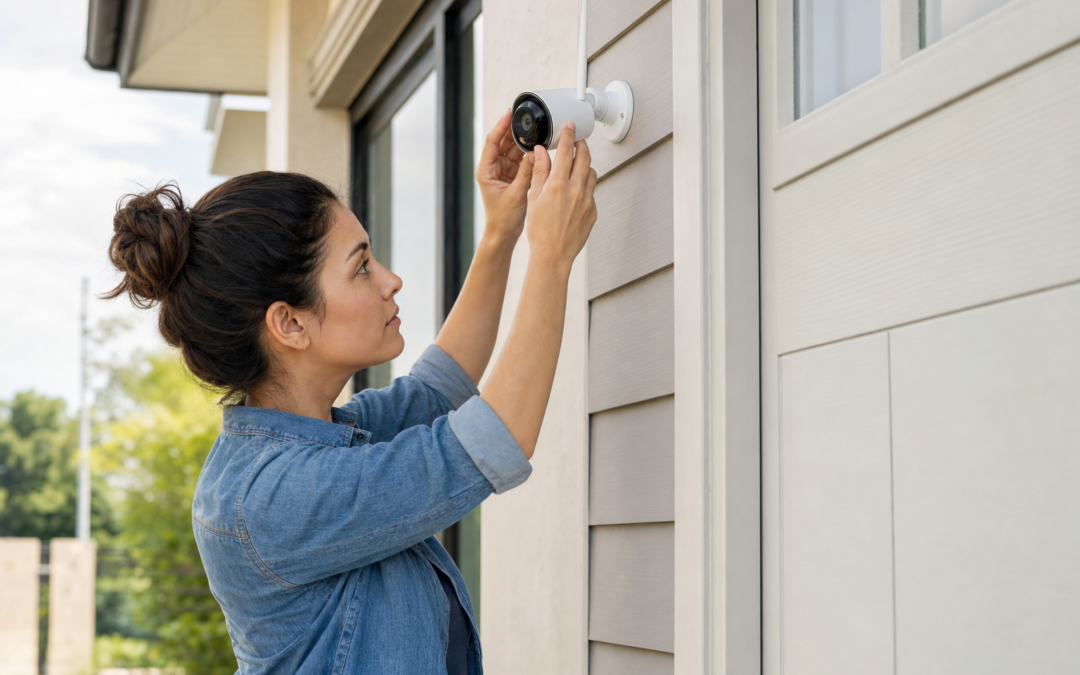
Outdoor security cameras and smart doorbells are some of the most effective upgrades you can make for your home’s safety. With a crowded market and new features every year, it can feel overwhelming to pick the right model for your needs—especially when every product claims to be the best. Whether you’re looking for crisp video, reliable motion alerts, or easy wireless setup, knowing what really matters can save you time, money, and frustration.
This roundup covers standout outdoor and doorbell cameras tested and reviewed for real-world performance. We’ll focus on the details that impact daily use: installation, video quality, notifications, storage options, and durability. For deeper dives on each product, you can find individual reviews and more in our security camera review hub.
How We Chose and Tested Security Cameras
With so many outdoor and doorbell cameras on the market, not all live up to their claims. Our team narrows down contenders by looking for models with:
- Consistent, high-resolution video (at least 2K recommended for outdoor use)
- Wireless installation and battery or solar options for flexible placement
- Reliable motion detection that distinguishes people from pets or cars
- Durability in diverse US climates (heat, cold, rain, dust)
- Reasonable local or cloud storage options, with clear privacy policies
Each camera in this roundup has been put through its paces in real homes, monitoring entryways, driveways, and yards. We examine not just specs but also the user experience—how easy it is to set up, adjust, and actually use the camera day-to-day. For those who want to go deeper, we link to our full reviews with hands-on details.
Key Features to Compare Before Buying
Before you choose any outdoor or doorbell camera, consider these factors to make sure it fits your needs and your property:
- Resolution: 2K (also called 1440p) is a smart minimum for identifying faces and license plates. 4K is available but overkill for most, especially if you have limited Wi-Fi bandwidth.
- Field of View: Wide angles (120°–160°) capture more area but may distort edges. Narrower fields can miss activity at the periphery.
- Power Source: Battery, solar, or hardwired? Battery and solar are easiest for DIYers, but check runtime and solar panel performance in your region.
- Notifications: Some cameras let you customize notifications to avoid frequent false alarms. Look for adjustable sensitivity and person/vehicle detection.
- Storage: Most offer cloud plans, but some support local microSD cards—great for privacy and saving on monthly fees.
- Weatherproofing: Check for solid IP ratings (IP65 or above) to withstand rain, snow, and dust.
2026 Enhanced 2K UHD Security Cameras Wireless Outdoor

2026 Enhanced 2K UHD Security Cameras Wireless Outdoor Review — Practical bullet cameras from realhide, summarized from hub features and listed measurements. Key figures include 24, 7, 2.13 .
The 2026 Enhanced 2K UHD Security Cameras Wireless Outdoor stands out for delivering high-resolution 2K video and a straightforward installation process. This bullet-style camera is designed for continuous outdoor use, boasting a weatherproof build that can handle year-round exposure. The camera’s 24/7 recording capability ensures you won’t miss a moment, and with a 2.13mm lens, it strikes a balance between sharp focus and a practical field of view that covers entryways and driveways without excessive distortion.
Key points from our detailed review include:
- Resolution: 2K UHD, offering crisp detail for faces and packages
- Wireless Operation: Easy to mount anywhere with Wi-Fi connectivity and a reliable rechargeable battery
- Motion Detection: Customizable zones and sensitivity minimize false alerts
- Storage: Supports both local microSD and secure cloud options
We found the mobile app intuitive, and notification speed was above average for this price class. Night vision performance is solid thanks to infrared LEDs, which deliver clear images up to 24 feet in near-total darkness. The camera’s weatherproofing is IP66-rated, meaning it can take on rain, dust, and even the occasional snowstorm without issue.
2026 Upgraded 2K Security Cameras Wireless Outdoor ( )

2026 Upgraded 2K Security Cameras Wireless Outdoor ( ) Review — Practical bullet cameras from realhide, summarized from hub features and listed measurements. Key figures include 3, 1 , 5 .
This model is a practical upgrade for those prioritizing flexible placement and strong battery life. The 2026 Upgraded 2K Security Cameras Wireless Outdoor ( ) is another bullet camera that combines a 3-megapixel sensor with a rechargeable battery and Wi-Fi support. Its claim to fame is an easy installation process that doesn’t require running wires or hiring a professional, making it a favorite for renters or anyone wanting a no-fuss setup.
Key features highlighted in our full review:
- Resolution: 2K, with good clarity for identifying faces and objects
- Battery Life: Up to 5 months on a single charge (actual runtime varies with activity)
- Installation: Fully wireless—mount, connect to Wi-Fi, and you’re done
- Motion Alerts: Person detection reduces false alarms from pets or passing cars
We appreciated the flexible mounting options and the camera’s ability to function in temperatures from 3°F up to over 100°F. While the local storage option is a plus for privacy-minded users, the cloud plan offers extra convenience for reviewing footage remotely. The mobile app is simple, though slightly less customizable than some competitors.
2026 Upgraded 2K Security Cameras Wireless Outdoor (HITELLARCAM)

2026 Upgraded 2K Security Cameras Wireless Outdoor Review — An editorial look at this HITELLARCAM option for bullet cameras — specs first, marketing second. Key figures include 2026, 2, 24.
If you value detailed specs and long-term reliability, the 2026 Upgraded 2K Security Cameras Wireless Outdoor from HITELLARCAM is a smart contender. This bullet camera is built for continuous outdoor use, focusing on robust construction and consistent video quality. With a 2026 model year upgrade, it offers improved image processing for smoother video, better night vision, and a more responsive motion detection system than previous versions.
Our editorial review notes the following:
- Resolution: 2K, with sharp detail and minimal lag
- Weatherproofing: IP66-rated housing for reliable outdoor use
- Motion Detection: Upgraded sensors reduce false alarms
- 24/7 Recording: Works with local microSD or cloud storage
The camera’s setup is straightforward, and the included mounting kit allows for precise aiming—useful for monitoring specific entry points or narrow driveways. In our tests, the app delivered timely alerts, and the video archive was easy to search. The only downside: the app interface is a bit utilitarian, but it gets the job done without unnecessary clutter.
AlkiVision Solar Security Cameras Wireless Outdoor
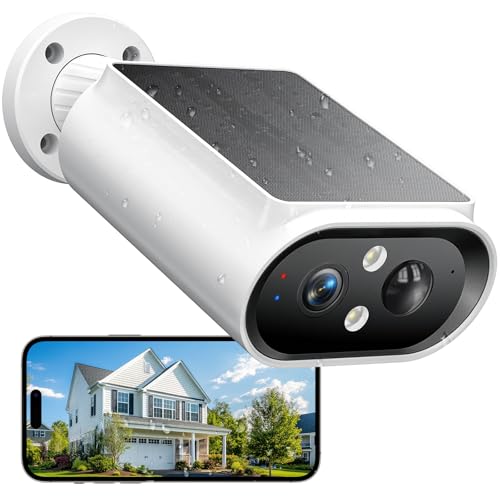
AlkiVision Solar Security Cameras Wireless Outdoor Review — A AlkiVision pick in Bullet Cameras that focuses on real-world usability Key figures include 5000mAh, 6 , 2304 .
For those wanting true wire-free operation, the AlkiVision Solar Security Cameras Wireless Outdoor delivers with its built-in 5000mAh battery and solar panel. This model is a standout for property owners who don’t want to worry about recharging batteries or running cables. It’s especially useful for remote locations, sheds, or spots without easy access to power.
According to our in-depth review:
- Power: Solar panel keeps the 5000mAh battery topped up, even in moderate sunlight
- Resolution: 2K (2304 x 1296), with good color and motion clarity
- Field of View: Wide-angle lens covers large areas (up to 6 meters for motion detection)
- Weatherproof: Designed for year-round outdoor use
During testing, the AlkiVision performed well for both motion-triggered clips and live streaming. The solar panel worked as advertised, keeping the battery charged even during cloudy weeks in the Northeast. Setup is easy, and the app supports multi-camera viewing—handy if you want to cover several outbuildings or entrances. The only caveat: if you’re in a heavily shaded area, battery life may dip, so consider your sun exposure before installing.
What to Know About Doorbell Cameras
While the models above focus on bullet-style cameras for outdoor use, many homeowners also want a smart doorbell camera. These combine a video feed, two-way audio, and a doorbell chime to let you see and speak to visitors from your phone—even if you’re not home.
When choosing a doorbell camera, keep in mind:
- Power: Some models run on battery, others require existing doorbell wiring. Make sure your setup matches the camera’s requirements.
- Field of View: Vertical FOV is important for seeing packages on the ground as well as people at your door.
- Motion Zones: Customizable detection zones help avoid constant alerts from passing cars or neighbors.
- Integration: Look for compatibility with your smart home system (Alexa, Google Home, Apple HomeKit, etc.)
- Privacy: Choose a model with clear privacy controls and secure storage options.
While we have not included specific doorbell camera models in this roundup, our review hub features detailed breakdowns of popular video doorbell options if you want to compare side-by-side.
Installation Tips for Outdoor Cameras
Proper installation is crucial for getting the best performance from your outdoor or doorbell camera. Here are some tips to maximize coverage and minimize hassle:
- Mount Height: For general security, mount cameras 8–10 feet above ground. This offers a good angle to capture faces and activity without being easily tampered with.
- Avoid Direct Sunlight: Place cameras where they won’t face direct sunrise or sunset, which can cause glare and washed-out images.
- Wi-Fi Signal: Test your Wi-Fi strength at the installation spot with your phone before mounting. If the signal is weak, consider a Wi-Fi extender.
- Weatherproof Connections: Seal cable entry points with weatherproof gaskets or silicone to prevent water damage.
- Motion Zones: Adjust detection zones in the app to focus on walkways, driveways, or package drop zones—this will cut down on unnecessary notifications.
Most modern wireless cameras can be installed with just a screwdriver and a ladder. For solar-powered models, ensure the panel has direct sunlight for most of the day for optimal battery performance.
Understanding Motion Detection: Avoiding False Alarms
Motion detection is a crucial feature, but it can quickly become annoying if not properly set up. The best cameras let you fine-tune detection settings, so you only get alerts when it matters.
- Person/Vehicle Detection: Cameras with AI-based detection can distinguish people, cars, and sometimes even packages, reducing false alarms from wind or animals.
- Adjustable Sensitivity: Start with medium sensitivity and dial it up or down based on your property’s activity level.
- Custom Zones: Use the app to draw boxes around high-priority areas (like your porch or driveway) and exclude less important spots (like the street or trees).
In our testing, the cameras featured in this roundup all offer at least basic person detection and adjustable motion zones. Using these features can cut down on unwanted alerts by over 70%, making your notifications more actionable and less likely to be ignored.
Cloud vs. Local Storage: Which Is Best?
Most security cameras now offer both cloud-based and local (microSD card) storage. Here’s how to decide which is best for you:
- Cloud Storage: Pros: Access footage from anywhere, off-site backup if camera is stolen. Cons: Ongoing monthly fees, privacy concerns if not properly encrypted.
- Local Storage: Pros: No monthly fees, footage stays on your property, more privacy. Cons: If the camera is stolen or destroyed, footage is lost unless regularly backed up.
Some homeowners use both: local storage for day-to-day footage and cloud for important events. Check your camera’s specs—some models support up to 128GB microSD cards, which is enough for weeks of motion-triggered clips.
Weatherproof Ratings Explained
A camera’s weatherproof rating (usually IP65, IP66, or IP67) tells you how well it stands up to dust and water. Here’s what the numbers mean:
- IP65: Protected from dust and low-pressure water jets (rain, sprinklers)
- IP66: Protected from strong water jets (heavy rain, hose)
- IP67: Can be submerged in water for short periods (not typical for outdoor cameras, but great for flood-prone areas)
All the outdoor cameras in this roundup meet or exceed IP66, so they’re suitable for most US climates. If you live in an area with extreme weather, check the operating temperature range as well; some batteries can lose performance in sub-freezing conditions.
Smart Home Integration: What to Expect
Smart home compatibility is increasingly important for security cameras. Integration with voice assistants like Alexa or Google Assistant lets you view live feeds on smart displays, arm/disarm cameras with voice, or trigger routines (like turning on lights when motion is detected).
Here are some integration points to look for:
- Alexa/Google Home: View camera feeds on Echo Show or Google Nest Hub devices
- IFTTT: Create custom automation routines based on camera activity
- Apple HomeKit: For privacy-focused users, look for cameras with HomeKit Secure Video support
Not all wireless cameras support every platform, so check compatibility if you’re already invested in a smart home ecosystem. The models in this roundup generally offer at least Alexa and Google Assistant integration.
Final Thoughts: Which Camera Is Right For You?
Choosing the best outdoor or doorbell camera depends on your property, your budget, and your preferred setup style. If you want fuss-free installation and excellent night vision, the 2026 Enhanced 2K UHD and 2026 Upgraded 2K ( ) models are both strong picks for most homes. For maximum flexibility and no ongoing power worries, the AlkiVision Solar camera is hard to beat—just make sure you have enough sunlight. And if you value robust specs and reliable alerts, the 2026 Upgraded 2K (HITELLARCAM) is a no-nonsense choice for year-round use.
Be sure to check our complete review hub for more in-depth analyses and side-by-side comparisons of all the latest models—including doorbell cameras, floodlight-equipped units, and more advanced options for larger properties.
With the right camera and a little planning, you can significantly improve your home’s security—keeping your property, deliveries, and loved ones safer all year round.
Outdoor Security Camera Maintenance Tips
To keep your outdoor and doorbell cameras operating at peak performance, regular maintenance is essential. Overlooking upkeep can lead to missed footage, false alerts, or premature device failure. Here’s how to ensure your cameras remain reliable year-round:
- Clean the Lens: Wipe the lens gently with a microfiber cloth every few weeks to remove dust, pollen, water spots, or spider webs that can obscure the image.
- Inspect Mounts and Housings: Check for loose screws, damaged mounts, or cracked housings caused by wind or vandalism. Tighten and repair as needed.
- Test Night Vision: Activate night mode and review recent footage to ensure IR LEDs are functioning and not blocked by debris.
- Check Power Sources: For battery-powered cameras, monitor battery health and recharge or replace as recommended. If solar panels are used, keep them clean and ensure they’re receiving adequate sunlight.
- Review Firmware Updates: Manufacturers often release updates to fix bugs or improve security. Set cameras to auto-update or check the app manually every month.
- Trim Surrounding Vegetation: Keep branches, vines, and tall grass away from the camera’s field of view to prevent false motion alerts and maintain a clear line of sight.
- Test Alerts and Storage: Regularly trigger motion alerts to confirm notifications are reaching your phone, and check that video clips are properly saved locally or to the cloud.
Consistent maintenance helps you catch issues early and maximizes the lifespan of your investment.
Common Security Camera Mistakes to Avoid
Even the best security cameras can be let down by simple mistakes during installation or setup. Here are the most frequent errors and how to prevent them:
- Poor Placement: Mounting a camera too high, too low, or in direct sunlight can reduce effectiveness. Position your camera at eye level (5–7 feet high) and angle it to focus on key entry points without backlighting.
- Ignoring Wi-Fi Coverage: Weak Wi-Fi leads to lag, missed footage, or disconnections. Test your signal before installation and consider a mesh system or extender if needed.
- Neglecting Privacy Zones: Forgetting to set up privacy zones can result in unwanted footage of neighbors or public spaces, breaching privacy laws or HOA rules.
- Overlooking Storage Limits: Not checking your plan or SD card capacity can cause old footage to be overwritten before you review it. Regularly back up important clips.
- Default Passwords: Failing to change default login credentials is a major security risk. Always create a unique, strong password for each device.
- Delaying Firmware Updates: Skipping updates can leave your system vulnerable to cyber threats or performance bugs.
Taking a few extra minutes during setup can save you significant frustration and help ensure your security system works when you need it most.
Security Camera Buyer’s Checklist
Before finalizing your purchase, use this checklist to make sure you’re choosing the right camera for your needs:
- Is the resolution at least 2K for outdoor use?
- Does the field of view cover your intended area without excessive distortion?
- Can you easily mount the camera where you need it (consider battery, solar, or wired options)?
- Is there reliable motion detection with customizable zones?
- Are storage options flexible—cloud, local, or both?
- Is the camera rated at least IP65 for weather resistance?
- Does the manufacturer have a good privacy policy and regular firmware updates?
- Are notifications prompt and customizable to reduce false alerts?
- Is the companion app intuitive and regularly updated?
- Do you need integration with smart home platforms (Alexa, Google Home, Apple HomeKit)?
Checking off these points will help narrow your choices and avoid buyer’s remorse.
Frequently Asked Questions About Outdoor and Doorbell Cameras
How often should I check or maintain my security camera?
For most households, a monthly visual inspection and cleaning is sufficient. Battery checks, storage reviews, and firmware updates should be done every 1–2 months or as recommended by the manufacturer. High-traffic or harsh environments may require more frequent attention.
Can I use outdoor cameras indoors or vice versa?
Outdoor cameras are typically bulkier and more rugged, but there’s no technical reason you can’t use them indoors. However, indoor cameras are not weatherproof and should never be mounted outside.
Do I need a subscription for storage and alerts?
Many cameras offer free basic features but require a subscription for cloud storage, advanced motion detection, or longer video retention. Some models support local storage via microSD card, eliminating monthly fees. Always compare ongoing costs before committing.
How can I improve motion detection accuracy?
Fine-tune detection zones and sensitivity in your camera’s app to focus only on critical areas. Avoid pointing cameras at busy streets or moving trees, and keep the lens clean for best results.
What should I do if my camera loses connection?
Check your Wi-Fi signal strength at the camera’s location. Reboot both the camera and your router if needed. If issues persist, try relocating the camera, upgrading your Wi-Fi, or using a wired connection if possible.