
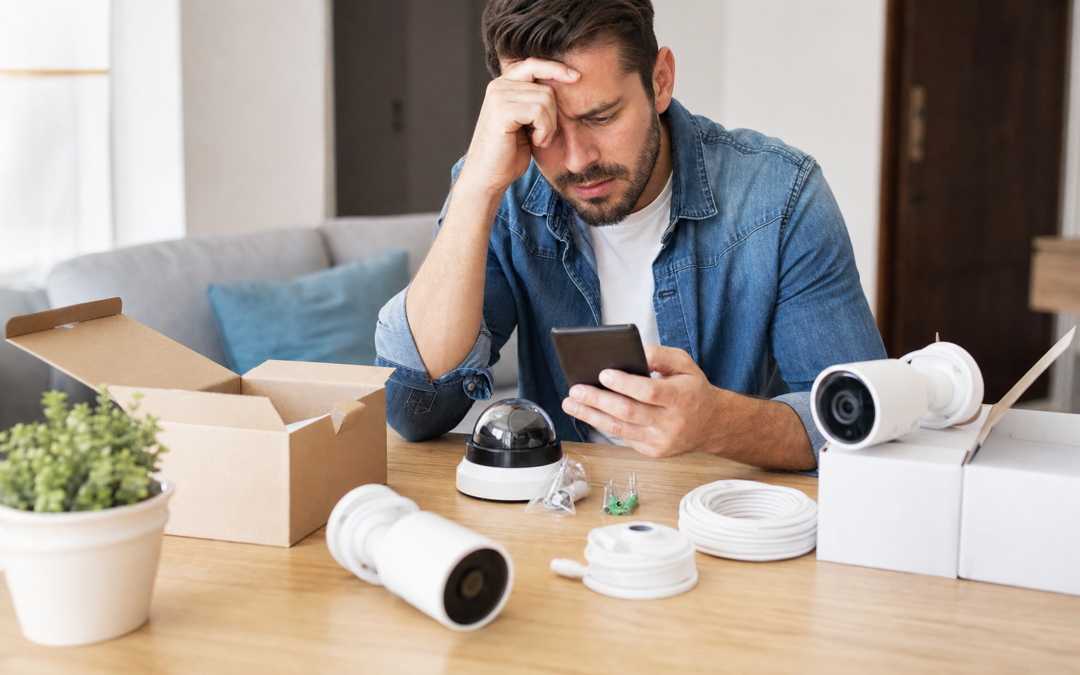
Choosing the right home security system is a crucial investment in your family’s safety, but it’s surprisingly easy to make mistakes—especially when sorting through endless product options and slick marketing claims. Many homeowners rush into purchases that don’t fit their homes, only to end up with returns, wasted money, or worse, gaps in their protection. Understanding the most common buying mistakes can save you time, frustration, and help ensure your property is properly secured the first time around.
In this guide, we’ll break down the biggest home security buying mistakes to avoid in 2026. You’ll learn how to match products to your needs, check compatibility, avoid hidden costs, and handle returns if something doesn’t work out. We’ll also point to specific product reviews and reliable picks, so you can make well-informed decisions for your household.
Rushing Your Purchase Without Assessing Your Real Needs
One of the most common mistakes homeowners make is buying a security system based solely on advertisements or recommendations, without taking stock of their actual needs. Every home is different: the square footage, number of entry points, presence of outbuildings, and even neighborhood crime rates can all influence what system is best for you.
- Count your doors and windows: Make a list of all possible entry points, including basement and garage doors.
- Evaluate outdoor spaces: Do you need cameras for driveways, backyards, or detached garages?
- Consider family habits: Pets, kids, and frequent guests may affect your choice of motion sensors and camera placement.
Before adding any product to your cart, walk your property, take notes, and prioritize the areas that need coverage. This groundwork helps you avoid overbuying or missing critical vulnerabilities.
Ignoring Compatibility and System Expansion
Many people buy a starter kit or a single device, only to realize later that it doesn’t work well with other brands or can’t be expanded to cover more areas. Compatibility issues are a major headache—especially if you want to add more cameras, sensors, or integrate with smart home platforms later on.
- Check if the system supports additional sensors, cameras, or smart devices.
- Look for open standards like Z-Wave or Zigbee if you want to mix and match brands.
- Review app compatibility—some systems don’t work with both iOS and Android, or don’t support smart assistants like Alexa or Google Home.
Read the fine print on product listings and consult comparison guides (such as those on our reviews hub) before buying. It’s much easier to plan for future upgrades than to replace your entire system later.

10″ x 28″ Home Security System Sign Review — An editorial look at this AzReference option for yard signs — specs first, marketing second. Key figures include 10 , 10 inch, 40 .
Overlooking Fit Checks: Sizing and Placement Mistakes
Another frequent pitfall is failing to measure spaces or check mounting options before buying. Not all cameras fit under eaves, and some door sensors only work on certain frame types. Here’s what to double-check before purchasing:
- Camera field of view: Will the angle cover the intended area? Is the resolution sufficient for identifying faces or license plates?
- Mounting options: Does the camera or sensor come with the right hardware for your siding, brick, or window frames?
- Power source: Is there an outlet nearby, or will you need a battery-powered model?
Always measure and inspect installation spots before ordering. Many returns happen because a product simply doesn’t fit the intended location.
Falling for “Set and Forget” Marketing Claims
Some security products promise easy, one-time installation with no maintenance. In reality, even the best systems require periodic checks, battery replacements, or firmware updates. Buying a system because it promises zero upkeep is a mistake that can leave you vulnerable when devices fail or go offline.
- Check how batteries are replaced and how long they last.
- Look for clear instructions on updates and troubleshooting.
- Read reviews to see if users report frequent false alarms or downtime.
Choose products with accessible customer support and a track record of reliability, not just slick marketing.

2026 Enhanced 2K UHD Security Cameras Wireless Outdoor Review — Practical bullet cameras from realhide, summarized from hub features and listed measurements. Key figures include 24, 7, 2.13 .
Neglecting to Check Return and Warranty Policies
Even with the best planning, sometimes a product just isn’t right for your home. Maybe it doesn’t work as advertised, or you discover it’s incompatible with your Wi-Fi. If you haven’t reviewed the seller’s return policy and warranty, you might get stuck with a costly mistake.
- Return timeframe: Many electronics have a 30-day return window, but some are much shorter or have restocking fees.
- Warranty coverage: How long does the manufacturer support the device? Are there hidden limitations?
- Who pays for return shipping? This can add up with heavy or bulky equipment.
Always keep your packaging until you’re sure the system works in your home. Register your product if required for warranty coverage, and save receipts for easy claims.
Underestimating Hidden Costs: Subscriptions and Accessories
Many home security systems look affordable up front but require monthly fees for full functionality—such as cloud video storage, professional monitoring, or advanced features. Accessories like extra sensors, mounting brackets, or longer cables can also add up.
- Compare ongoing costs for cloud vs. local storage.
- Check if mobile alerts, remote access, or video history require a paid plan.
- Factor in the cost of batteries, SD cards, or extra cameras to cover your whole property.
Calculate the true cost of ownership before making a decision. Some systems offer free basic plans or local storage, which can save money in the long run.
Skipping Professional Monitoring or DIY Setup Blunders
Some homeowners assume they can self-monitor their system without issue, only to miss crucial alerts when they’re busy or out of cell range. Others pay for monitoring they don’t use. Weigh your lifestyle and risk tolerance before deciding between professional and DIY monitoring.
- Professional monitoring: Provides 24/7 emergency response, but may require contracts or fees.
- DIY monitoring: Flexible and often free, but depends on your availability to respond to alerts.
- Installation: DIY setups can save money, but improper installation can leave gaps. Some systems recommend professional installation for best results.
If you choose DIY, follow instructions carefully, test every sensor, and simulate break-in scenarios to ensure alerts trigger as expected.
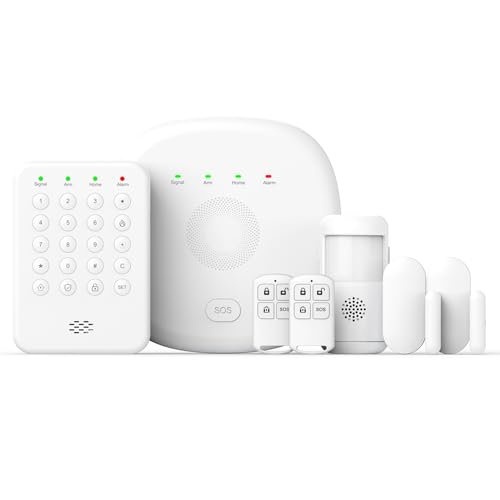
2026 Home Security System Review — An editorial look at this PGST option for home security systems — specs first, marketing second. Key figures include 1, 2 , 7 .
Forgetting to Secure Visible Deterrents and Yard Signs
Visible deterrents like yard signs and window stickers can be an effective first line of defense, but many buyers skip them or opt for generic versions that don’t match their actual system. This can tip off experienced intruders that your security is just for show.
- Choose branded signs that match your actual security system for credibility.
- Place signs in visible, well-lit locations near main entry points and property lines.
- Don’t forget window stickers for less visible or side entrances.
High-quality, weather-resistant signs last longer and look more convincing than flimsy generic options.

2026 Upgraded 2K Security Cameras Wireless Outdoor ( ) Review — Practical bullet cameras from realhide, summarized from hub features and listed measurements. Key figures include 3, 1 , 5 .
Overlooking Wi-Fi Strength and Network Security
Wireless security systems rely on strong, stable internet connections. Weak Wi-Fi can lead to missed notifications or spotty video footage. Many buyers forget to test their network before installing cameras or sensors, leading to unreliable performance.
- Test Wi-Fi signal strength in all intended camera and sensor locations.
- Consider mesh networks or signal boosters for large or multi-story homes.
- Secure your home network with strong passwords and firmware updates to prevent hacking.
Check your router’s capabilities and upgrade if needed—older routers may struggle with multiple HD video streams.
Failing to Read Independent Reviews and User Feedback
Too many shoppers trust only manufacturer specs or star ratings, without digging into real user experiences. Independent reviews can reveal common complaints, installation quirks, or strengths that aren’t obvious from product descriptions.
- Look for reviews that include installation photos and long-term updates.
- Check for consistent complaints about connectivity, false alarms, or customer service.
- Compare top picks and user feedback on reputable sources before buying.
For the latest hands-on reviews and side-by-side comparisons, visit our home security reviews hub.
Missing Regular Testing and Maintenance After Purchase
Even the best security system can fail if sensors aren’t tested, batteries aren’t changed, or cameras are blocked by debris. Some homeowners install their system and then neglect it, assuming it will work flawlessly for years. Schedule regular maintenance to catch issues before they become vulnerabilities.
- Test all alarms and cameras monthly, including backup power sources.
- Keep firmware and software up to date to patch security flaws.
- Clear obstructions from sensors and camera lenses seasonally.
Most major problems are preventable with a little ongoing attention—don’t wait until after a break-in to discover a dead sensor or outdated app.
Summary: Smarter Home Security Shopping in 2026
Buying home security in 2026 doesn’t have to be overwhelming or risky. Avoiding these common mistakes—rushing your purchase, skipping fit checks, ignoring compatibility, and neglecting returns—will help you choose the right system for your needs and budget. Take the time to measure, research, and review policies before you buy. Whenever possible, consult independent sources and hands-on reviews to make sure the products you’re considering hold up in real-world use.
If you do run into issues, know your return rights and warranty coverage so you can swap out or upgrade your equipment without hassle. By planning ahead and staying vigilant, you’ll protect your home more effectively and avoid costly missteps.
Essential Home Security Buying Checklist
Before finalizing your purchase, use this comprehensive checklist to ensure you’re not missing any critical steps. Skipping even one of these items can lead to frustration, unnecessary expenses, or security blind spots.
- Assess Vulnerable Areas: Walk your property and identify all entry points, including less obvious ones like basement windows and sliding doors.
- Determine Coverage Needs: Decide if you need indoor, outdoor, or both types of devices, and whether you require extras like glass break sensors or floodlights.
- Check Power Requirements: Confirm if your ideal devices are wired, battery-powered, or solar, and ensure you have compatible outlets or charging options.
- Confirm Wi-Fi Strength: Test signal quality at each planned device location to avoid connectivity issues.
- Review Compatibility: Make sure all devices work together and with your smartphone, smart speaker, or existing automation system.
- Investigate Subscription Fees: Understand what features are free versus paid, like cloud storage or professional monitoring.
- Read Return Policies: Know the window for returns or exchanges, especially for systems purchased online.
- Plan for Expansion: Choose a system that lets you easily add more cameras, sensors, or smart devices as your needs change.
- Budget for Accessories: Factor in costs for mounting brackets, memory cards, or extra batteries.
- Check for Warranty and Support: Opt for brands with solid warranties and responsive customer service.
Print or save this checklist to guide your shopping and installation process. It’s a small step that can prevent big headaches down the road.
Common Maintenance Mistakes That Undermine Security
Even the best security system is only as effective as its upkeep. Many homeowners make critical mistakes after installation, leading to false security and vulnerable gaps. Here are some of the most common maintenance oversights and how to avoid them:
- Neglecting Regular Testing: Failing to test alarms, sensors, and cameras monthly can leave you unaware of malfunctions or dead batteries.
- Ignoring Firmware Updates: Outdated software may have security vulnerabilities or bugs that affect performance. Set reminders to check for updates quarterly.
- Letting Batteries Die: Many wireless devices don’t send frequent low-battery alerts. Schedule battery checks every 3-6 months, especially before vacations or bad weather seasons.
- Forgetting to Clean Lenses and Sensors: Dust, spider webs, or water spots can obscure camera views and trigger false alarms. Wipe down equipment as part of your regular home cleaning routine.
- Not Updating User Access: Remove codes or app access for former roommates, contractors, or guests to prevent unauthorized entry.
- Overlooking Environmental Hazards: Check for overgrown foliage or shifting outdoor structures that could block cameras or sensors.
Set calendar reminders for these tasks so your system stays reliable and your home remains protected year-round.
Frequently Overlooked Mistakes When Buying Home Security
Some buying mistakes aren’t obvious until it’s too late. Here are a few less-discussed pitfalls that can have a big impact on your system’s effectiveness and satisfaction:
- Assuming All Systems Are Pet-Friendly: Not all motion sensors ignore pets, which can result in constant false alarms or reduced sensitivity that leaves you unprotected. Always check for pet-immunity ratings and test sensors with your animals.
- Not Considering Privacy Concerns: Some cameras store footage in the cloud or have microphones that record audio. If privacy is a top priority, look for models with local storage and customizable privacy zones.
- Buying Based on Price Alone: Bargain systems might lack essential features or support. Balance cost with reliability, warranty, and customer reviews.
- Overlooking Professional Installation Needs: DIY isn’t always a money-saver if you’re not comfortable with wiring, drilling, or configuring Wi-Fi. Some setups are best left to pros—factor installation costs into your budget.
- Ignoring Local Regulations: Some municipalities require permits for alarm systems or restrict outdoor camera placement. Check local laws before installing to avoid fines or forced removal.
How to Maintain Your Home Security System for Long-Term Reliability
Proper maintenance is key to ensuring your security system works when you need it most. Here’s a step-by-step approach to keeping your equipment in top condition:
- Monthly:
- Test all alarms, sensors, and cameras for proper operation.
- Review camera angles and adjust as needed for new landscaping or seasonal changes.
- Quarterly:
- Check for firmware and app updates.
- Clean lenses and motion sensors with a microfiber cloth.
- Inspect mounting hardware for rust or looseness.
- Annually:
- Replace backup batteries in control panels and sirens.
- Review and update user access lists and emergency contacts.
- Reassess your security needs after renovations or life changes.
Consistency pays off. Schedule these tasks and involve your household members so everyone knows how to respond in case of an alert.
Home Security FAQ: Your Top Questions Answered
Do I need a professional monitoring plan?
Professional monitoring adds a layer of protection by alerting authorities if an alarm is triggered, even when you’re away or unreachable. If you travel frequently or want peace of mind, it’s worth considering. However, many systems now offer reliable self-monitoring options via smartphone apps, which can be sufficient for some households.
Can I install a home security system myself?
Many modern systems are designed for DIY installation, with peel-and-stick sensors and app-based setup. However, complex systems or those requiring hardwiring may be better handled by professionals. Honestly assess your comfort level with tools and tech before deciding.
What are the hidden costs of home security systems?
Beyond the upfront purchase, you may encounter monthly fees for monitoring, cloud storage, or advanced features. Accessories and replacement parts (like batteries or mounts) can add up. Always read the fine print and ask about ongoing costs before committing.
How do I avoid false alarms?
Proper sensor placement, regular maintenance, and choosing pet-immune devices are key. Be sure to train all household members on how to arm/disarm the system and what to do in case of an accidental trigger.
Are wireless systems secure?
Quality wireless systems use encryption and authentication to prevent hacking, but it’s important to update passwords, enable two-factor authentication, and keep firmware up to date. Place routers in secure locations and avoid using default login credentials.
What should I do if I move?
Most wireless systems can be uninstalled and reinstalled at your new home. Notify your monitoring provider, update your address, and reassess your security needs based on your new property’s layout and neighborhood.
Pro Tips for a Hassle-Free Home Security Purchase
- Read Recent Reviews: Product quality and app reliability can change year to year—don’t rely on outdated feedback.
- Request a Free Trial: Some brands offer risk-free periods or return windows. Take advantage of these to test features in your home environment.
- Contact Customer Support Pre-Purchase: Ask questions about compatibility, expansion, or setup to gauge responsiveness and expertise.
- Document Your Setup: Take photos and notes during installation—this helps with troubleshooting and future upgrades.
- Stay Up to Date: Subscribe to product newsletters or security blogs to get alerts about vulnerabilities, recalls, or new features.
Following these tips ensures you get a system that fits your needs, avoids surprises, and keeps your home secure for years to come.