
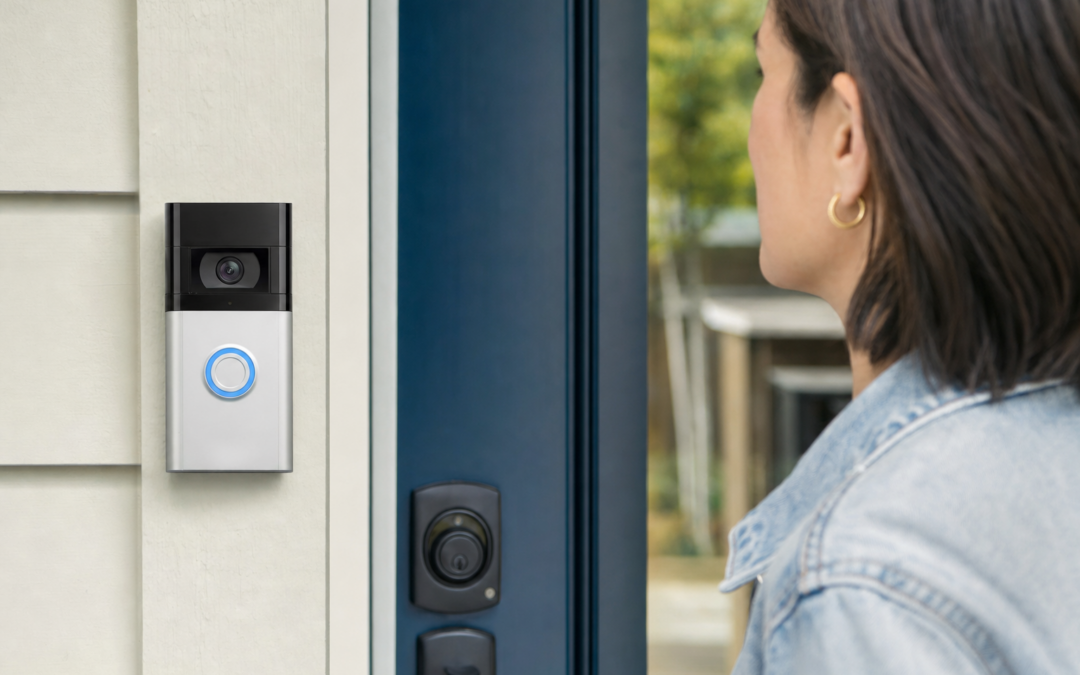
Shopping for a video doorbell can feel overwhelming, especially as new models and features hit the market each year. Whether you’re looking to improve your home’s security, keep tabs on package deliveries, or simply enjoy the convenience of two-way communication at your front door, choosing the right video doorbell is a crucial step. The decision often comes down to key factors: wired versus battery-powered units, chime integrations, and how well the device fits into your existing smart home or security setup.
Understanding the pros and cons of each option can save you time, money, and frustration. This guide will walk you through everything you need to know about wired and battery-powered video doorbells, chime compatibility, installation tips, and how to avoid common pitfalls. We’ll also highlight top product picks and provide practical advice to ensure you find the best fit for your home.
Why Video Doorbells Are Worth Considering
Video doorbells have quickly become a staple in American home security for good reasons. These devices allow you to see, hear, and speak to visitors at your door—whether you’re at home, at work, or traveling. With motion detection, real-time alerts, and cloud video storage, video doorbells deter package theft, help you monitor deliveries, and provide valuable evidence in the event of suspicious activity.
Many models also integrate with smart home systems, allowing you to trigger routines, automate lights, or check your door from your phone or smart display. If you’re updating your home security or just want more peace of mind, adding a video doorbell is a practical step. For more on home surveillance and camera options, you can check out our Cameras & Surveillance hub.
Wired vs. Battery-Powered Video Doorbells: Key Differences
The first major choice is whether to go with a wired or battery-powered (wireless) video doorbell. Each type offers distinct advantages and some trade-offs. Understanding these will help you match a doorbell to your home’s needs and your personal preferences.
- Wired video doorbells connect directly to your home’s existing doorbell wiring. They draw continuous power, so you don’t have to worry about recharging batteries. Installation can be more involved, often requiring basic electrical work. Wired models are ideal if your home already has a functioning wired doorbell system and you want a “set it and forget it” solution.
- Battery-powered video doorbells offer flexible placement and easier installation. They’re great for renters, homes without existing wiring, or anyone who wants to avoid electrical work. Battery life varies by model and usage, typically lasting from a few weeks to several months per charge. Some units can also be connected to existing wires for trickle charging, giving you the best of both worlds.
Still unsure? Consider these key questions:
- Do you have existing doorbell wiring in good shape?
- Are you comfortable with minor DIY electrical projects?
- Would you prefer a plug-and-play option with minimal installation?
- Is battery maintenance a concern for you?

Blink Video Doorbell + Outdoor 4 Review — Blink categories gear aimed at buyers who want clear specs before they click through. Key figures include 4 , 4, 1 .
Installation Considerations: What to Expect
Before you buy, take a moment to assess your home’s setup. If you already have a traditional wired doorbell, replacing it with a wired video doorbell can be straightforward. You’ll usually need to:
- Turn off power at the breaker.
- Remove the old doorbell button and connect the new device’s wires.
- Mount the new unit (sometimes using an included wedge for the best angle).
- Restore power and walk through app setup.
For battery-powered models, installation is even easier. Most require just a drill and a few screws. You’ll mount the base plate, snap in the doorbell, and complete the app setup. If you’re in a rental or can’t drill into the wall, look for adhesive or no-drill mount options.
Don’t forget about Wi-Fi: Video doorbells require a strong and reliable connection at your front door. Check your signal strength before installation—sometimes a Wi-Fi range extender is necessary for consistent performance.
Understanding Video Doorbell Chimes: Wired, Wireless, and Smart Options
One overlooked aspect when shopping for a video doorbell is how it works with chimes. Traditional wired doorbells ring your home’s existing chime when pressed. With video models, especially wireless ones, this isn’t always automatic.
- Wired Video Doorbells: Many models can trigger your existing mechanical or digital chime—if they’re compatible. Some require an extra adapter or “chime kit.” Always check compatibility before buying.
- Battery-Powered Doorbells: These typically do not ring your existing indoor chime. Instead, they send push notifications to your phone, and some brands sell dedicated wireless chime accessories that plug into a wall outlet. This is a critical detail if you want to hear the doorbell from inside your home.
- Smart Chimes and Speaker Integrations: Many video doorbells can trigger chimes on smart speakers (Amazon Echo, Google Nest Hub, etc.) or through in-app alerts. Make sure to check if your preferred system is supported.
Bottom line: If hearing a physical chime is important, factor this into your purchase. You may need to buy an extra accessory or choose a model that supports your current system.

Blink Outdoor 4 – Wireless smart security camera Review — An editorial look at this Blink option for categories — specs first, marketing second. Key figures include 4 , 53, 5 .
Video Quality and Field of View: What Matters Most
Not all video doorbells are created equal when it comes to image quality. The best models offer crisp video both day and night, a wide field of view, and clear audio. Here’s what to look for:
- Resolution: 1080p (Full HD) is standard, but some newer models offer 2K or even 4K resolution for sharper detail. Higher resolution helps you pick out faces and license plates, but also uses more bandwidth and storage.
- Field of View: A wider angle (140° to 180°) lets you see more of your porch and packages. Vertical field of view matters, too—look for “head-to-toe” coverage if you want to see visitors from the ground up.
- Night Vision: Infrared LEDs or low-light sensors keep video clear after dark. Some models offer color night vision for enhanced detail.
- Audio Quality: Two-way talk is standard, but not all microphones are created equal. Check for noise cancellation if you live near a busy street.
If you want to use your video doorbell for package monitoring, prioritize vertical field of view and good night vision. For high-traffic areas, look for advanced motion detection and quick video loading times.
Smart Features and App Experience
Today’s video doorbells offer a range of smart features, with differences in reliability and ease of use. When comparing models, consider:
- Motion Detection: Look for adjustable sensitivity, activity zones (to ignore passing cars), and person/package detection. Some models offer customizable alerts for pets, vehicles, and more.
- App Usability: A user-friendly app makes a huge difference. Can you quickly review footage, talk to visitors, and adjust settings? Read reviews for real-world feedback.
- Voice Assistant Integration: Many video doorbells work with Alexa, Google Assistant, or Apple HomeKit. This enables hands-free control, live feeds on smart displays, and custom automations.
- Pre-Recording and Quick Responses: Some models buffer a few seconds of video before motion events, so you never miss the action. Others offer one-tap quick responses for when you can’t answer live.
Don’t overlook subscription requirements—many advanced features require a monthly or yearly fee. Compare what’s included for free versus what’s behind a paywall.

Arlo Video Doorbell 2K (2nd Gen) Wireless or Wired Review — An editorial look at this Arlo option for video doorbells — specs first, marketing second. Key figures include 60, 1.45 , 0.45 pounds.
Subscription Plans and Local Storage: What to Know
Most major brands offer cloud video storage for a monthly fee, which lets you review and download past footage. Prices and features vary widely:
- Cloud Storage: Plans typically start around $3–$6 per month per device, with discounts for multiple cameras or annual prepay. Cloud storage ensures your videos are safe even if the device is stolen or damaged.
- Local Storage: Some models (like certain Blink and Eufy devices) support local storage via a hub or microSD card. This can help you avoid monthly fees, but may have shorter retention times and less robust backup in case of theft.
- No Subscription: A few models offer limited free storage or live view only with no subscription. Check the fine print—sometimes features like person detection or activity zones are paywalled.
Before committing, consider how important video history is to you and whether you’re comfortable with ongoing subscription costs. For many users, the peace of mind and convenience of cloud storage is worth the investment.
Package Detection and Delivery Features
With the rise in online shopping, package theft—or “porch piracy”—has become a concern for many homeowners. Fortunately, several video doorbells now offer package detection and delivery alerts. Here’s how these features work:
- Package Detection: Using AI, some doorbells can identify when a package is left on your porch and send a special notification. This allows you to act quickly if a delivery is made or if someone approaches your package.
- Delivery-Specific Alerts: Some apps let you set up custom alerts for deliveries, or even interact with the delivery person via pre-recorded messages.
- Video Clips and Timeline: Advanced models make it easy to review a timeline of activity, so you can see exactly when a package was dropped off and picked up.
If package security is your top priority, make sure to choose a doorbell with reliable AI detection and a strong vertical field of view to capture your doorstep clearly.
Choosing the Right Model for Your Home: Key Scenarios
Every home is different, and the “best” video doorbell depends on your layout, wiring, and needs. Here are a few common scenarios and what to look for:
- For Renters or Homes Without Doorbell Wiring: Opt for a battery-powered model with a wireless chime accessory. Look for easy mounting and removal options.
- For Homeowners with Existing Wired Doorbells: Choose a wired model that’s compatible with your current chime. Installation is usually straightforward, and you won’t need to worry about battery swaps.
- Homes with Large Entryways or Side Porches: Prioritize a wide field of view and strong night vision. Some homeowners add a second camera to cover blind spots.
- Smart Home Enthusiasts: Look for models with robust voice assistant integration and automation support. Some systems let you trigger lights or lock doors automatically when motion is detected.
Assess your front entry’s layout, Wi-Fi strength, and whether you want to integrate with other smart devices before making a final choice.

Ring Wired Doorbell 4K Pro (Newest Model) Review — A Ring pick in Categories that focuses on real-world usability Key figures include 53, 1 , 5.447 .
Tips for Maximizing Performance and Security
Once your video doorbell is installed, a few simple steps can help you get the best results and protect your data:
- Optimize Placement: Mount the camera at chest height (about 48 inches) and use included wedges to angle it toward your porch or package area.
- Secure Your Wi-Fi: Use a strong, unique password and enable WPA3 encryption if available. Regularly update your router’s firmware for security patches.
- Enable Two-Factor Authentication: Most brands support 2FA for app logins, which helps prevent unauthorized access to your video feed.
- Adjust Motion Sensitivity: Fine-tune your motion zones to avoid false alerts from passing cars or swaying trees.
- Check Power/Battery Status: For battery models, set reminders to check charge levels—most apps will alert you when it’s time to recharge.
- Review Privacy Settings: Adjust sharing and storage options to match your comfort level. Some devices let you mask parts of the video feed for privacy.
Regularly reviewing and updating your settings ensures your video doorbell stays effective and secure.
Integrating Video Doorbells with Other Home Security Devices
For those building a comprehensive home security system, integration is key. Many video doorbells work seamlessly with other cameras, smart locks, and alarm systems. Here’s how to maximize compatibility:
- Brand Ecosystem: Sticking with one brand (e.g., Ring, Arlo, Blink) often offers the smoothest integration and a single app for all devices.
- Smart Home Hubs: Devices that work with Amazon Alexa, Google Assistant, or Apple HomeKit can be linked for routines or voice control. For example, have your smart lights turn on when someone rings the doorbell after dark.
- Professional Monitoring: Some brands offer optional monitoring plans that include doorbell alerts, emergency dispatch, and more.
Before buying, map out your existing devices and check for compatibility. This will save headaches down the road and ensure all your security gear works together smoothly.
Common Pitfalls and How to Avoid Them
Even the best video doorbell can disappoint if you overlook a few key details. Watch out for these common mistakes:
- Ignoring Chime Compatibility: Double-check whether your indoor chime will work—or if you’ll need to buy a separate wireless chime.
- Weak Wi-Fi Signal: A poor connection leads to lag, missed notifications, or failed recordings. Test your Wi-Fi at the install location before buying.
- Overlooking Subscription Costs: Some features (like video history or AI alerts) require a monthly fee. Factor this into your budget.
- Improper Mounting: Mount too high or at the wrong angle, and you’ll miss faces or packages. Follow manufacturer guidelines for ideal placement.
- Forgetting About Weather Resistance: Choose a model rated for your local climate, especially if your entryway isn’t covered.
Taking the time to research these details will help you avoid buyer’s remorse and enjoy your new video doorbell for years to come.
Final Thoughts: Picking Your Best Video Doorbell
Choosing between wired and battery-powered video doorbells, understanding chime options, and factoring in features like video quality and package detection are all important steps in finding the right fit for your home. Take stock of your current setup, your comfort with installation, and your expectations for smart features and ongoing costs.
The best video doorbell is the one that fits your lifestyle and provides reliable, clear coverage of your entryway. With a little planning and the right model, you’ll enjoy greater peace of mind and a smarter, safer home.
For more in-depth reviews, comparisons, and tips on home cameras and surveillance, be sure to visit our Cameras & Surveillance hub.