
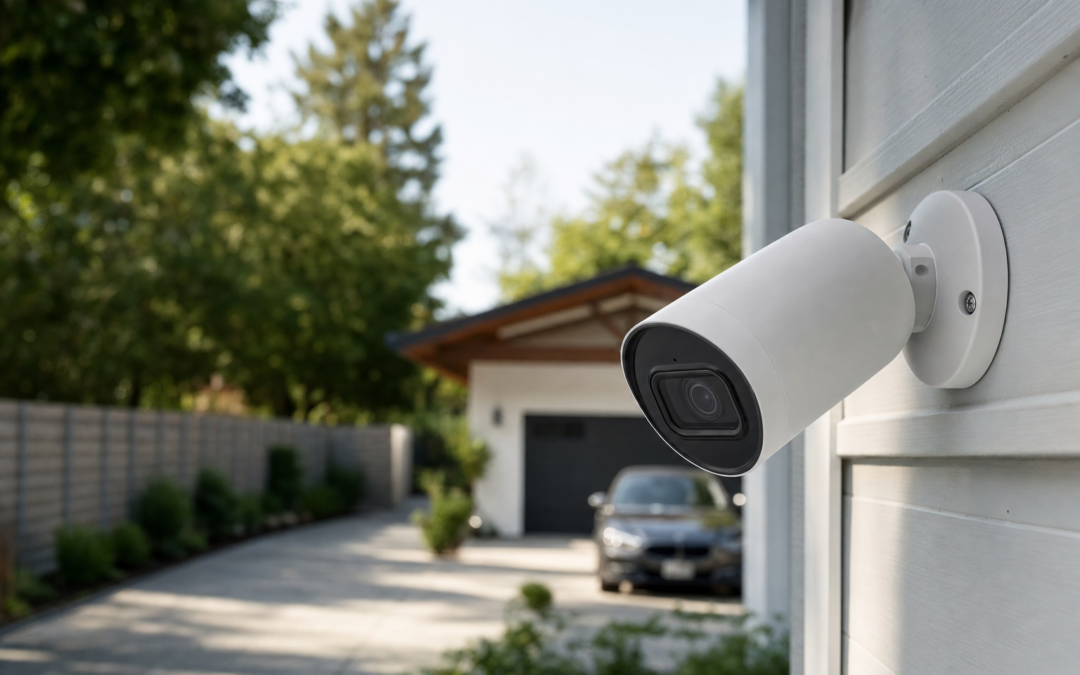
Securing your driveway and yard is one of the most effective steps you can take to protect your home, vehicles, and property. Modern outdoor security cameras offer a range of features—from crystal-clear night vision to wireless convenience and high-definition footage—making it easier than ever to monitor outdoor spaces. But with so many options on the market, it’s not always obvious which camera is best suited for your driveway, garage, or open yard.
This comprehensive guide breaks down the top outdoor security cameras for driveways and yards in 2026. Whether you’re deciding between PoE (Power over Ethernet) and WiFi models, or you’re prioritizing long-range night vision and weather resistance, we’ll help you understand the latest tech and choose the right camera for your needs and budget.
Why Invest in Outdoor Security Cameras for Driveways and Yards?
Driveways and yards are often the first points of access for intruders—and they’re where packages are dropped, cars are parked, and kids play. Outdoor cameras act as both a deterrent and a critical source of evidence in case of theft, vandalism, or suspicious activity. By installing cameras in these areas, you gain:
- Early Warning: Detect motion before someone reaches your door or garage.
- Package and Vehicle Monitoring: Keep an eye on deliveries and parked cars.
- Peace of Mind: Know what’s happening outside, day or night, from anywhere.
- Evidence Collection: Record clear footage to share with law enforcement if needed.
For more in-depth advice on surveillance systems, check out our main cameras & surveillance hub.
Key Features to Look for in Outdoor Security Cameras
When choosing a camera for your driveway or yard, pay attention to these essential features:
- Resolution: Look for at least 1080p HD, though 2K and 4K options provide even sharper images—helpful for identifying faces or license plates.
- Night Vision: Quality infrared (IR) LEDs or color night vision are critical for after-dark monitoring.
- Weather Resistance: Ensure the camera is rated for outdoor use (IP65, IP66, or better).
- Motion Detection: Advanced sensors with customizable zones cut down on false alerts from passing cars or animals.
- Field of View: Wider angles (above 110°) are ideal for covering large driveways and yards.
- Power Source: Decide between wired (PoE) for reliability and wireless (battery or solar) for flexible placement.
- Smart Integration: Compatibility with Alexa, Google Assistant, or app-based controls adds convenience.
PoE vs. WiFi Cameras: Which Is Best for Outdoor Use?
One of the first decisions to make is whether to install Power over Ethernet (PoE) or WiFi-based cameras. Each has unique advantages for outdoor monitoring:
- PoE Cameras:
- Receive both power and data through a single Ethernet cable.
- More reliable connection; less susceptible to interference.
- Ideal for permanent installations along long driveways or large properties.
- Require running cable, which may not be practical for some homes.
- WiFi Cameras:
- Easy to install; no wiring required.
- Flexible placement—move or add cameras as needed.
- Depend on WiFi range and signal strength; may be affected by walls or distance.
- Battery or solar-powered options available for truly wire-free setups.
For most driveways and yards, WiFi cameras offer the simplest installation, but PoE is often preferred for large lots or when maximum reliability is needed.
Night Vision: Essential for 24/7 Outdoor Security
Night vision is non-negotiable for outdoor cameras. Intruders and suspicious vehicles often approach under cover of darkness, so your camera should deliver usable footage in low light. Key considerations include:
- Infrared (IR) LEDs: Allow the camera to see in total darkness, typically with a range of 30-100 feet or more.
- Color Night Vision: Some newer models use a spotlight or enhanced sensors to provide color images at night.
- Motion-Activated Lighting: Built-in spotlights not only improve footage but also deter unwanted visitors.
Pay close attention to the night vision range in product specs, especially if you have a long driveway or deep yard.
Camera Placement Strategies for Driveways and Yards
Proper placement is as important as camera quality. Here are some placement tips for driveways and yards:
- Driveways: Mount cameras 8-10 feet high at the end of the driveway, angled toward the street to capture vehicles and faces. If possible, add a second camera near the garage or side door.
- Yards: Focus on main entry points—gates, fences, and pathways. Wide-angle cameras cover more ground with fewer blind spots.
- Lighting Considerations: Avoid pointing cameras directly at bright lights or reflective surfaces to prevent glare.
- Obstructions: Trim trees and shrubs that might block the view or cause false motion alerts.
Remember to abide by local privacy laws—avoid filming neighbors’ property or windows whenever possible.
Top Outdoor Security Cameras for 2026: Our Picks
We’ve reviewed dozens of outdoor models to find the best cameras for driveways and yards. Here are our top recommendations for 2026, based on real-world testing, user feedback, and feature set.

Blink Outdoor 4 – Wireless smart security camera Review — An editorial look at this Blink option for categories — specs first, marketing second. Key figures include 4 , 53, 5 .

Blink Video Doorbell + Outdoor 4 Review — Blink categories gear aimed at buyers who want clear specs before they click through. Key figures include 4 , 4, 1 .

2026 Enhanced 2K UHD Security Cameras Wireless Outdoor Review — Practical bullet cameras from realhide, summarized from hub features and listed measurements. Key figures include 24, 7, 2.13 .
How to Choose Between Bullet, Dome, and Floodlight Cameras
Outdoor security cameras come in several styles:
- Bullet Cameras: The most common for driveways and yards. Easy to mount, highly visible (deterrent effect), and often weatherproof. Most picks on this list are bullet-style.
- Dome Cameras: More discreet, with a vandal-resistant housing. Typically used in commercial settings but can work for home exteriors.
- Floodlight Cameras: Combine video with powerful motion-activated lighting—excellent for illuminating dark corners, but usually require hardwiring.
For most homeowners, bullet cameras are the best fit for open outdoor areas like driveways and backyards due to their range and visibility.
Installation Tips: DIY vs. Professional Setup
Modern wireless cameras are designed for DIY installation, but there are still important steps to follow for optimal performance:
- Follow Height Guidelines: Mount cameras 8-10 feet above ground for best coverage and tamper resistance.
- Test Before Final Mounting: Temporarily position cameras and check the app feed to ensure you have the right angle and WiFi signal strength.
- Secure Mounting: Use included anchors and screws; for brick or concrete, a masonry bit may be required.
- Cable Management: For PoE or wired cameras, use weatherproof conduit and keep cables out of reach.
- Professional Help: If running cables through attics, soffits, or exterior walls, consider hiring an installer.
Most WiFi cameras can be set up in under an hour with basic tools, making them an approachable weekend project for most homeowners.
Storage Options: Local, Cloud, or Hybrid?
After installation, you’ll need to decide how to store your footage:
- Cloud Storage: Most WiFi cameras offer subscription-based cloud recording with rolling history (e.g., 7-60 days). Advantages include off-site backup and easy mobile access.
- Local Storage: Some models record to microSD cards or networked hard drives (NVRs). No monthly fees, but footage is vulnerable if the camera is stolen or damaged.
- Hybrid: The best of both worlds—store critical clips in the cloud while keeping continuous footage locally.
Consider your preferences for privacy, cost, and convenience when choosing a storage method. For driveways and yards, cloud storage is usually preferable for fast, remote access to clips of motion events.
Smart Features: Alerts, Integration, and Customization
Today’s outdoor cameras go beyond simple recording. Look for these smart features that can make monitoring your driveway and yard more effective:
- Custom Motion Zones: Define specific areas to monitor, so passing cars or waving branches don’t trigger alerts.
- Person/Vehicle Detection: Advanced AI can distinguish between people, animals, and vehicles, reducing false notifications.
- Two-Way Audio: Speak to visitors (or warn off intruders) from your phone.
- Smart Home Integration: Connect cameras to Alexa, Google Home, or Apple HomeKit for voice control and automation.
- Instant Alerts: Get push notifications or emails when motion is detected, so you’re always in the loop.
Not all features are available on every camera, so prioritize what matters most for your situation.
Weatherproofing and Durability for Outdoor Cameras
Outdoor cameras need to withstand a range of weather conditions, from summer heat to winter storms. Here’s what to look for:
- IP Rating: An IP65 or higher rating indicates solid protection against dust and rain. For exposed areas, IP66 or IP67 is ideal.
- Operating Temperature: Check the camera’s stated range; some models can handle -20°F to 120°F or more.
- Housing Materials: Metal or heavy-duty plastic housings are more durable than basic plastic shells.
- UV Resistance: Prevents fading or cracking in direct sunlight over time.
Properly installed, a high-quality outdoor camera should last for years with minimal maintenance beyond occasional cleaning and battery changes (for wireless models).
Frequently Asked Questions
Will a security camera work if my WiFi goes down?
Most WiFi cameras require an internet connection for live streaming and alerts. Some models can record locally to a microSD card during outages, but you won’t be able to view footage remotely until the connection is restored. PoE cameras connected to a local NVR can continue recording regardless of internet status.
How far can outdoor security cameras see at night?
Night vision range varies widely. Basic models might see 25-30 feet, while advanced cameras can cover 80-100 feet or more. Always check the manufacturer’s specs for night vision range, especially if you need to monitor long driveways or open yards.
Can I use an indoor camera outdoors if it’s under an eave or porch?
Indoor cameras aren’t built for temperature extremes or moisture. Even under cover, condensation and humidity can damage them. Always choose a camera rated for outdoor use for driveways and yards.
Do I need a subscription to use outdoor cameras?
Many cameras work without a subscription, offering live view and local storage. However, cloud recording, advanced detection, and smart alerts often require a monthly or yearly plan. Compare options based on your storage and feature needs.
Maintenance and Troubleshooting Tips
To keep your outdoor cameras working reliably year-round, follow these maintenance guidelines:
- Regular Cleaning: Wipe lenses with a microfiber cloth every few months to remove dirt, pollen, or spider webs.
- Battery Checks: For wireless models, check battery status monthly—most apps will alert you when power runs low.
- Firmware Updates: Keep camera software up to date for new features and security patches.
- Signal Testing: Periodically check WiFi signal strength; consider a mesh system or extender if you experience dropouts.
- Secure Logins: Use strong, unique passwords and enable two-factor authentication for your camera accounts.
Final Thoughts: Choosing the Best Outdoor Camera for Your Home
The right outdoor security camera for your driveway or yard depends on your specific needs—whether that’s long-range night vision, easy installation, smart alerts, or robust weatherproofing. Wireless cameras are the go-to for most homeowners due to their flexibility and ease of setup, but PoE systems offer unmatched reliability for larger properties or those with existing network infrastructure.
Take time to assess your property layout, internet connectivity, and budget before making a decision. Whichever model you choose, a well-placed outdoor camera significantly boosts your home’s security and gives you peace of mind—day and night, all year long.

2026 Upgraded 2K Security Cameras Wireless Outdoor ( ) Review — Practical bullet cameras from realhide, summarized from hub features and listed measurements. Key figures include 3, 1 , 5 .
Outdoor Security Camera Maintenance Tips
Proper maintenance ensures your outdoor security cameras deliver reliable performance and clear footage year-round. Here’s how to keep your driveway and yard cameras in top shape:
- Regular Cleaning: Wipe camera lenses gently with a microfiber cloth to remove dust, pollen, spider webs, and water spots. Avoid harsh chemicals that could damage lens coatings.
- Check for Obstructions: Inspect the area around your cameras frequently. Overgrown branches, climbing vines, or newly placed objects can block the view and trigger unnecessary alerts.
- Inspect Mounts and Housing: Ensure camera mounts and housings are secure and free from rust or damage. Tighten loose screws and replace corroded hardware as needed.
- Test Night Vision: Periodically check nighttime footage to confirm that IR LEDs or spotlights are working and not obstructed by dirt or insects.
- Firmware Updates: Manufacturers frequently release firmware updates to improve performance and security. Log into your camera’s app or web portal regularly to check for and apply updates.
- Power Source Checks: For battery-powered cameras, monitor battery levels and recharge or replace batteries as needed. For solar-powered models, keep panels clean and positioned for optimal sunlight.
- Weatherproofing Review: After severe weather, inspect cameras for water ingress or physical damage. Make sure weather seals remain intact to prevent moisture from entering the housing.
By following these maintenance steps, you’ll prolong the life of your investment and ensure your cameras are ready when you need them most.
Common Mistakes to Avoid When Installing Outdoor Cameras
Even the best security camera can underperform if not installed or configured properly. Avoid these frequent mistakes to get the most out of your driveway and yard surveillance:
- Mounting Too High or Too Low: Cameras mounted above 10 feet may miss valuable detail (like faces or license plates), while those mounted too low are more vulnerable to tampering.
- Ignoring Lighting Conditions: Failing to account for direct sunlight or strong backlighting can result in washed-out images or glare. Test live video feeds at different times of day before finalizing placement.
- Neglecting WiFi Signal Strength: Wireless cameras need a strong, stable connection. Use your phone to test WiFi signal at the intended location before installation, or consider mesh WiFi extenders for large properties.
- Overlooking Privacy Zones: Not configuring privacy masking can result in accidental recording of neighbor’s property, which may be illegal in some areas.
- Forgetting Local Storage: Relying solely on cloud storage can leave you without footage if your internet goes down. Cameras with SD card slots or NVR (Network Video Recorder) support provide valuable redundancy.
- Insufficient Coverage: One camera may not be enough for large driveways or yards. Overlapping fields of view help eliminate blind spots and provide multiple angles for key areas.
- Skipping Firmware Updates: Outdated firmware can expose your system to security vulnerabilities and performance issues.
Planning ahead and avoiding these pitfalls will help you maximize your camera system’s effectiveness and compliance with privacy laws.
Outdoor Security Camera Installation Checklist
Before and after you install your outdoor security cameras, use this handy checklist to ensure a smooth setup and optimal coverage:
- Choose cameras with suitable weather rating (IP65/IP66 or higher).
- Test camera views and angles before permanent mounting.
- Verify power source availability (outlet, PoE, solar, or battery).
- Check WiFi or Ethernet signal strength at installation spots.
- Securely mount cameras at 8-10 feet high, angled for best coverage.
- Trim vegetation and remove potential obstructions.
- Configure motion detection zones to minimize false alerts.
- Set up app notifications and alerts for real-time monitoring.
- Enable privacy zones to avoid recording neighboring properties.
- Test night vision and adjust settings if needed.
- Apply the latest firmware updates.
- Set up local and/or cloud storage for video backups.
- Document camera locations and settings for future reference.
Following this checklist will save time and ensure your system is both effective and compliant with local regulations.
Frequently Asked Questions About Outdoor Security Cameras
Can I install outdoor security cameras myself?
Yes, most modern outdoor cameras are designed for DIY installation, especially wireless or battery-powered models. Basic tools and a ladder are usually sufficient. Wired (PoE) systems may require more expertise, especially if you need to run cables through walls or underground.
How can I prevent my cameras from being stolen or tampered with?
Choose tamper-resistant mounts and install cameras out of easy reach (8-10 feet high). Some models offer anti-theft alarms or notifications if the camera is moved. For high-risk areas, consider using dummy cameras as decoys or adding protective housings.
Will outdoor cameras work in extreme weather conditions?
Most quality outdoor cameras are rated to withstand rain, snow, heat, and cold. Look for models with an IP65 or higher weatherproof rating and check the manufacturer’s specified operating temperature range to ensure suitability for your climate.
Do I need a subscription for cloud storage?
Many cameras offer basic local storage via SD card or NVR. However, cloud storage plans provide added convenience, remote access, and extra backup. Some brands offer limited free cloud storage, while others require a paid subscription for extended features and longer retention.
How much internet bandwidth do outdoor cameras use?
Bandwidth usage depends on video resolution, frame rate, and motion activity. A single 1080p camera typically uses 1-2 Mbps when recording or streaming. Multiple cameras or higher resolutions (2K/4K) will increase bandwidth needs. Most systems allow you to adjust video quality to manage data usage.
Is it legal to record video and audio outside my home?
Video recording on your own property is generally legal, but laws vary regarding audio recording and capturing footage of public or neighboring spaces. Always check your local and state regulations, and use privacy zones or masking features to avoid unintentional surveillance of areas beyond your property.
How often should I check or maintain my cameras?
It’s wise to inspect your cameras monthly for cleanliness, obstructions, and secure mounting. Test footage day and night, and review app notifications to ensure your system is functioning as expected. Always update firmware promptly for optimal performance and security.
How to Troubleshoot Common Outdoor Camera Issues
Even the best outdoor security cameras may occasionally experience problems. Here are solutions to common issues:
- Poor Night Vision: Clean the lens and check for obstructions. Adjust IR settings in the app, and ensure the camera isn’t pointed at bright lights or reflective surfaces.
- Frequent False Alerts: Refine motion detection zones and sensitivity. Trim nearby foliage and avoid pointing cameras at busy streets.
- Connection Drops: Test WiFi signal strength, move your router closer, or add a WiFi extender. For PoE, check cable connections.
- Blurry or Grainy Video: Clean the lens, adjust focus (if possible), and ensure the camera’s resolution is set to maximum.
- Storage Full: Download or delete old footage, increase storage capacity, or adjust recording settings to only capture motion events.
If issues persist, consult the manufacturer’s support site or user manual for advanced troubleshooting steps.