
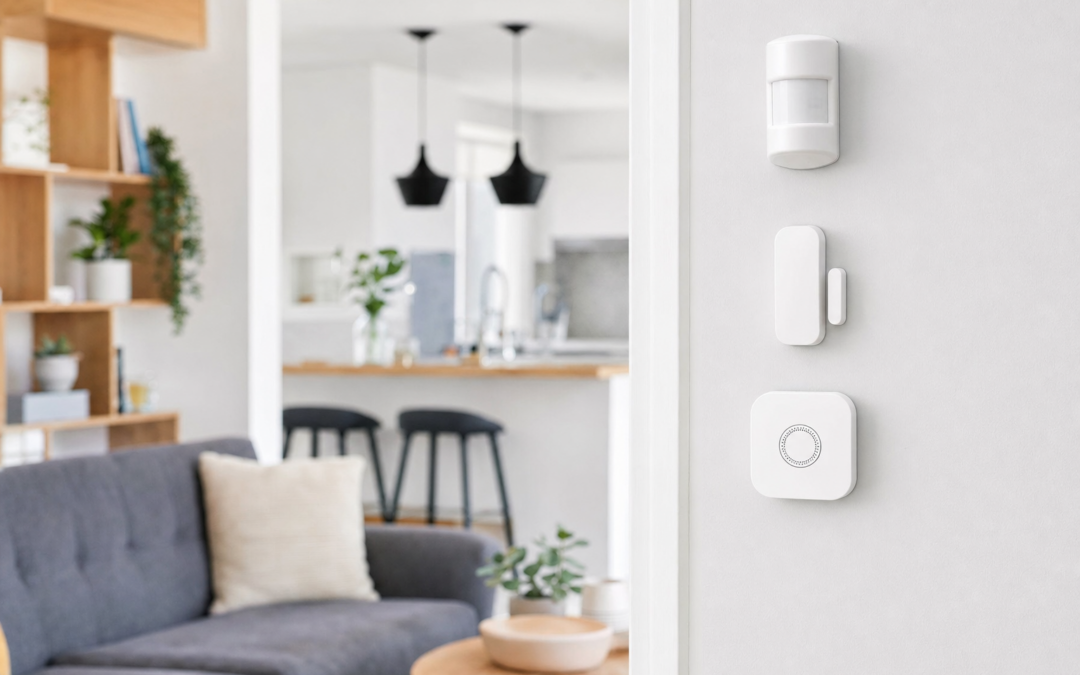
Smart home alarm sensors are at the heart of modern home security, providing real-time detection and alerts for everything from open windows to unexpected water leaks. Whether you’re starting to build a DIY security system or upgrading an existing setup, understanding the different types of sensors—and how they connect to your hub—can make a big difference in your home’s safety and your peace of mind.
This guide breaks down the essential smart sensor types: contact sensors, motion detectors, and leak sensors. We’ll explain how each works, what to look for in terms of battery life and integration, and how to choose the right mix for your needs. You’ll also find practical advice on placement, compatibility with alarm hubs, and what to expect for ongoing maintenance.
For more on comprehensive alarm systems and integration, see our complete smart security guide.
Understanding Smart Home Alarm Sensors
Smart home alarm sensors are electronic devices designed to detect changes in their environment and send alerts to your phone, hub, or monitoring service. The main types include:
- Contact sensors: Detect when doors or windows open or close.
- Motion sensors: Sense movement within a defined area.
- Leak sensors: Spot unwanted water leaks or flooding.
- Specialty sensors: Such as glass break detectors, vibration sensors, or freeze detectors.
Each type plays a distinct role in a layered security strategy, and most modern systems allow you to mix and match as needed. Many sensors are wireless and battery-powered, making them easy to install and maintain.
How Sensors Communicate: Hubs and Protocols
Smart sensors typically use wireless protocols to communicate with a central hub or directly with your smartphone. The most common protocols are:
- Zigbee and Z-Wave: Popular for home automation, supporting mesh networks for extended coverage.
- Wi-Fi: Offers direct connectivity but can be more power-hungry and create network congestion with many devices.
- Proprietary RF: Used by some brands for dedicated communication between sensors and base stations.
Most smart alarm systems require a compatible hub—either a standalone device or built into a smart speaker (like Amazon Echo with Zigbee). The hub acts as the command center, relaying alerts to your phone, integrating with routines, and sometimes enabling professional monitoring.
Contact Sensors: Your First Line of Defense
Contact sensors are the backbone of entry monitoring. They consist of two magnetic pieces: one attaches to a door or window, the other to the frame. When the two parts separate, the sensor triggers an alert. Key uses include:
- Monitoring entry doors and windows
- Securing garage doors, gates, or medicine cabinets
- Triggering automations (like turning on lights when a door opens)
Look for features such as tamper detection, battery life (some last a year or more), and compatibility with your preferred smart home platform. Some sensors also offer adjustable sensitivity or compact designs for tight spaces.

Ring Alarm Contact Sensor Review — A Ring pick in Sensors that focuses on real-world usability Key figures include 53, 0.220462 pounds, 1.
Motion Sensors: Detecting Movement Indoors and Out
Motion sensors use infrared (PIR), microwave, or dual-technology sensing to detect movement in a room or outdoor area. They’re ideal for:
- Covering hallways, living spaces, or staircases
- Alerting you to activity in garages or basements
- Outdoor perimeter monitoring (with weatherproof models)
When choosing a motion sensor, consider the detection range (typically 15-30 feet indoors), pet immunity (to avoid false alarms), and how well it integrates with your hub or alarm system. Adjustable sensitivity and mounting options can help tailor coverage to your home’s layout.

Hosmart 1/2 Mile Driveway Alarm Review — A wireless driveway motion kit with a long claimed receiving range, expandable sensors, and weather-minded outdoor housing — built for property alerts, not monitored security.
Leak Sensors: Early Warning for Water Damage
Water leak sensors are small, battery-powered devices placed in areas prone to leaks—such as under sinks, near water heaters, or by sump pumps. When they detect moisture, they send an immediate alert to your phone or hub. This early warning can help you prevent costly water damage and mold growth.
- Place leak sensors wherever plumbing failures could cause major damage
- Some models also detect freezing temperatures to prevent burst pipes
- Look for long battery life and loud built-in alarms for extra peace of mind
Integration with your smart home system can enable automations, such as shutting off a smart water valve automatically when a leak is detected.
Glass Break and Specialty Sensors
Glass break sensors provide an extra layer of security for windows and glass doors. These devices use microphones or vibration sensors to detect the specific sound or shock of breaking glass. They’re especially valuable for large windows, sliding doors, or areas where intruders might bypass regular contact sensors.
- Place glass break sensors within range of multiple windows for broad coverage
- Some models offer adjustable sensitivity to reduce false alarms from other loud noises
- Check compatibility with your alarm hub or monitoring service
Other specialty sensors include vibration detectors for safes or cabinets, freeze sensors for cold-weather areas, and smoke/CO detectors that integrate with security systems.

Ring Sensors: Glass Break Sensor (newest model) Review — Practical categories from Ring, summarized from hub features and listed measurements. Key figures include 2 , 53, 2.
Choosing the Right Alarm Hub
The alarm hub is the brains of your smart security system. When selecting a hub, consider:
- Protocol support: Make sure it works with your preferred sensors (Zigbee, Z-Wave, Wi-Fi, or proprietary RF).
- Platform integration: Does it work with Alexa, Google Assistant, Apple HomeKit, or IFTTT?
- Expandability: Can you add more sensors, cameras, or smart home devices over time?
- Monitoring options: DIY alerts, professional monitoring, or both?
Some hubs are dedicated alarm panels, while others double as smart speakers or automation controllers. Read reviews and check compatibility lists before you buy, especially if you plan to mix brands or use sensors from multiple manufacturers.
Battery Life and Power Options
Most smart sensors are battery-powered for easy installation, but battery life varies widely. Key considerations include:
- Type of battery: Common choices are CR123A, AA, AAA, or coin cells.
- Expected lifespan: Many sensors last 1-3 years per battery; heavier use (like frequent motion alerts) can reduce this.
- Low-battery alerts: Good systems send notifications when it’s time to replace batteries.
- Wired options: Some sensors offer USB or hardwired power for permanent installations (especially leak sensors or outdoor devices).
Keep spare batteries on hand, and set a reminder to check sensor status regularly—especially before vacations or during cold weather, which can drain batteries faster.
Installation Tips and Sensor Placement
Proper placement is crucial for reliable detection and minimal false alarms. Here are best practices for each sensor type:
- Contact sensors: Install on all exterior doors and accessible windows, as well as garage or basement entry points.
- Motion sensors: Cover main traffic areas, but avoid pointing at heat sources, windows, or vents. For pet-friendly models, mount at the recommended height.
- Leak sensors: Place flat on the floor near appliances, sump pumps, or pipes. Test with a damp cloth to ensure they trigger as expected.
- Glass break sensors: Mount within the manufacturer’s recommended range of windows, avoiding spots with heavy drapes or sound-dampening materials.
Always test sensors after installation to confirm they’re communicating with your hub and sending alerts. Most systems include a test mode for easy setup.
Smart Integrations and Automations
One of the biggest advantages of smart sensors is their ability to trigger automations and routines. Popular integrations include:
- Turning on lights when a door opens or motion is detected at night
- Sending push notifications or text alerts for sensor events
- Arming or disarming alarms based on your phone’s location (geofencing)
- Linking leak sensors to smart water valves to shut off water automatically
- Creating custom routines with Alexa, Google Home, or Apple HomeKit
Check your hub’s app or automation platform for supported triggers and actions. Some systems also allow third-party integrations with IFTTT or SmartThings for advanced control.
Maintenance and Troubleshooting
To keep your smart alarm sensors working reliably, follow these maintenance tips:
- Test all sensors monthly using your hub’s test mode
- Replace batteries promptly when you receive low-battery alerts
- Check for firmware updates in your app, which can improve performance and security
- Clean sensors with a soft cloth to avoid dust or debris interfering with detection
- For wireless sensors, make sure nothing is blocking the signal between the sensor and the hub
If you experience false alarms, try adjusting sensor sensitivity, repositioning the sensor, or checking for sources of interference (such as nearby electronics or reflective surfaces).
Mixing and Matching Brands: What to Know
While it’s tempting to buy the best sensor for each location, not all smart sensors play nicely together. Before mixing brands:
- Check if your hub supports third-party sensors (many do, especially with Z-Wave or Zigbee)
- Understand that some features (like tamper detection or advanced automations) may only work with the same brand as your hub
- Consider using universal platforms like SmartThings or Hubitat for maximum compatibility
- Read user reviews to confirm real-world compatibility, not just what’s claimed on paper
In many cases, sticking with a single ecosystem (Ring, SimpliSafe, Abode, etc.) ensures the best integration, but tech-savvy users can often get more flexibility with open platforms and third-party sensors.
Smart Alarm Sensors: Final Thoughts
Investing in smart alarm sensors is one of the most effective ways to protect your home from break-ins, accidents, and costly water damage. By understanding the strengths of contact, motion, and leak sensors—and how they work with your alarm hub—you can build a tailored security system that fits your needs and budget.
Focus on full coverage for entry points, main living areas, and high-risk spots like basements or utility rooms. Pay attention to battery life, test your system regularly, and take advantage of smart automations for added peace of mind. With thoughtful setup and the right mix of sensors, your home will be better protected around the clock.

Sanjie Door Window Alarm Sensors, , 125dB, Volume Control Review — SanJie home security systems gear aimed at buyers who want clear specs before they click through. Key figures include 3 , 5.
Smart Sensor Placement Checklist
Proper placement of your alarm sensors is critical for maximizing both security and reliability. Use this checklist to ensure your smart home sensors are installed where they’ll be most effective:
- Contact Sensors:
- Install on all main entry doors and accessible ground-floor windows.
- Don’t forget secondary entrances, such as garage doors, patio sliders, and basement windows.
- Consider interior doors to sensitive areas (home office, medicine cabinet, or gun safe).
- Mount sensors aligned and flush for reliable triggering.
- Motion Sensors:
- Place in central hallways, stairwells, and large common areas.
- Mount at 6–8 feet high, angled downward for optimal coverage.
- Avoid aiming at windows, HVAC vents, or heat sources to reduce false alarms.
- For pet immunity, follow manufacturer recommendations for mounting height and orientation.
- Use outdoor-rated sensors for driveways, porches, or detached garages.
- Leak Sensors:
- Position near water heaters, washing machines, under sinks, and in basements.
- Place flat on the floor where water is likely to pool first.
- Test by triggering with a damp cloth before relying on them for real protection.
Before finalizing installation, use your system’s test mode to confirm all sensors trigger alerts and appear in your app correctly.
Common Mistakes to Avoid with Alarm Sensors
Even the best sensors can’t protect your home if they’re set up incorrectly. Here are some of the most frequent mistakes homeowners make—and how to prevent them:
- Overlooking key entry points: Failing to install sensors on seldom-used doors or basement windows leaves vulnerabilities.
- Improper sensor alignment: For contact sensors, misalignment can prevent triggering. Always check the indicator light or app status after installation.
- Ignoring battery warnings: Low or dead batteries are a leading cause of sensor failure. Set reminders to check battery levels at least twice a year.
- Poor Wi-Fi or hub placement: If your sensors rely on a wireless hub, ensure it’s centrally located for even coverage. Avoid placing hubs in metal cabinets or behind large appliances.
- Mounting motion sensors facing windows: Sunlight and moving shadows can cause false alarms. Instead, face motion sensors away from direct sunlight.
- Neglecting regular testing: Test your sensors monthly to ensure they’re communicating and triggering as expected.
- Not updating firmware: Outdated software can introduce bugs or security gaps. Enable automatic updates if possible, or check periodically for new releases.
By avoiding these pitfalls, you’ll ensure your smart alarm system is always ready to protect your home.
Maintenance Tips: Keeping Your Sensors Reliable
Smart alarm sensors are generally low-maintenance, but a little routine care goes a long way in ensuring your system stays dependable. Here’s how to keep your sensors in top shape:
- Battery replacement: Most sensors use replaceable lithium or alkaline batteries. Check battery status in your app and replace as recommended—typically every 1–2 years.
- Clean sensor surfaces: Dust and debris can interfere with motion sensors and contact switches. Wipe sensors gently with a dry cloth every few months.
- Inspect mounting: Ensure adhesive strips or screws remain secure, especially in high-traffic or humid areas.
- Test after home changes: If you rearrange furniture, paint, or install new doors/windows, retest sensors to confirm they still function as intended.
- Update firmware: Use your sensor’s app or hub interface to check for firmware updates. These may improve reliability, add features, or patch security vulnerabilities.
- Replace faulty sensors promptly: If a sensor starts sending false alerts or goes offline repeatedly, replace it to maintain full coverage.
Establish a biannual maintenance routine—perhaps paired with daylight saving time changes—to ensure your smart home security remains robust.
Smart Alarm Sensors FAQ
Do I need a smart hub for my alarm sensors?
Many smart alarm sensors require a compatible hub (such as Samsung SmartThings, Ring Alarm base station, or a Zigbee/Z-Wave hub) to function and communicate. Some Wi-Fi sensors work independently via their own app. Check compatibility before purchasing, especially if you want to mix brands or integrate with voice assistants.
How long do batteries last in smart sensors?
Battery life varies by sensor type and communication protocol. Most contact and motion sensors last 1–3 years on standard batteries, while leak sensors can last even longer due to infrequent activity. Factors like cold temperatures, frequent triggering, and Wi-Fi usage can shorten battery life.
Can pets trigger motion sensors?
Standard motion sensors may detect pets, but many modern models offer “pet immunity” features. These use advanced algorithms or dual sensors to ignore animals under a certain weight (typically up to 40 pounds). Proper mounting height and angle are crucial for pet-friendly operation.
Are there privacy concerns with smart sensors?
Most smart alarm sensors (contact, motion, leak) do not record audio or video—they simply detect state changes or movement. However, if your system integrates with cameras or microphones, review privacy settings and data policies. Always secure your Wi-Fi network and use strong passwords for your smart home accounts.
What happens if my internet goes out?
If your sensors communicate via Wi-Fi, you may lose remote notifications during an internet outage, but local alarms (like sirens or lights) may still function. Zigbee and Z-Wave sensors typically communicate with the hub directly and can trigger local alarms even if the internet is down. For critical monitoring, consider systems with cellular backup or professional monitoring services.
How do I prevent false alarms?
To reduce false alarms, ensure proper sensor placement (avoid direct sunlight for motion sensors), enable pet immunity if needed, and regularly test your system. Adjust sensitivity settings where possible, and keep sensors free of dust and obstructions.
Can I install smart sensors myself?
Most smart sensors are designed for DIY installation, with peel-and-stick mounts or basic screws. Follow the manufacturer’s instructions and use the app to test each sensor after setup. For hardwired sensors or complex integrations, consider professional help.
Integrating Sensors with Other Smart Devices
One of the biggest advantages of smart home alarm sensors is their ability to trigger automations and routines beyond security. Here are some integration ideas:
- Link contact sensors to smart lights to illuminate entryways when doors open.
- Set motion sensors to activate cameras or start video recording when movement is detected.
- Connect leak sensors to shut-off valves or send an alert to your phone for fast action.
- Use voice assistants (like Alexa or Google Assistant) to receive spoken alerts or check sensor status on demand.
- Integrate with smart thermostats to pause HVAC if a window is open.
Check your hub or app’s automation options to unlock additional convenience and safety features tailored to your household’s needs.
When to Upgrade Your Smart Alarm Sensors
Technology evolves quickly, and upgrading your sensors can enhance both security and user experience. Consider upgrading if:
- Your current sensors are no longer supported with firmware updates.
- You’re experiencing frequent false alarms or connectivity issues.
- You want new features such as pet immunity, longer battery life, or integration with modern smart home platforms.
- Your family or lifestyle has changed (e.g., new pets, children, or home additions).
- You’re interested in adding new sensor types, like glass break or vibration detectors.
Upgrading doesn’t have to be all-or-nothing; you can replace sensors individually as needed to keep your system current and reliable.