
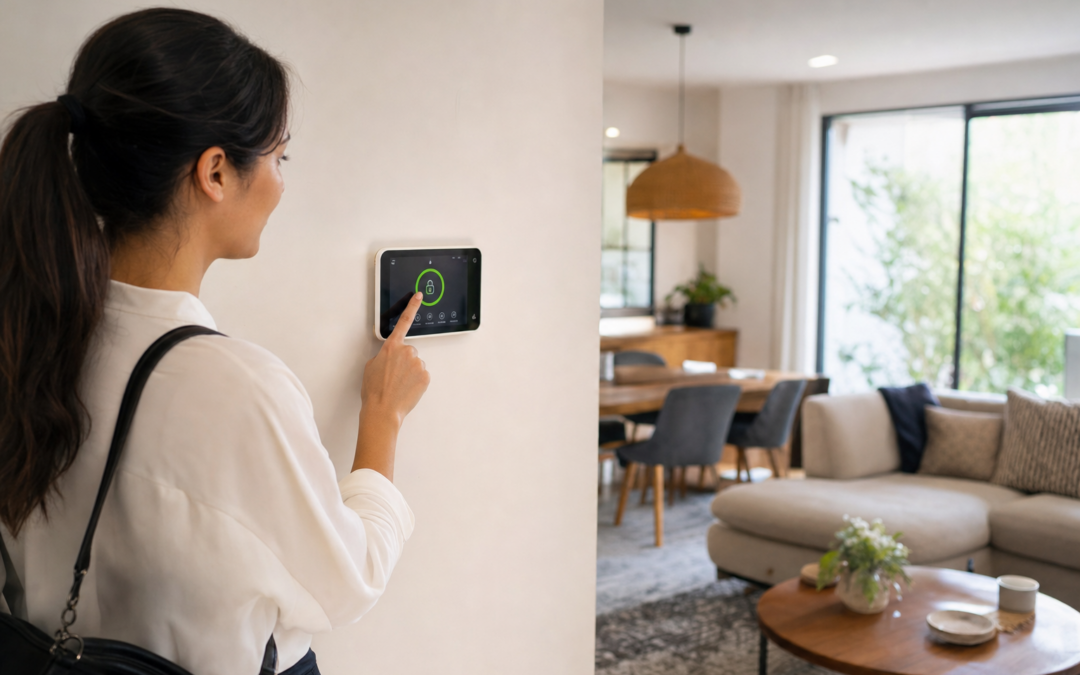
False alarms can be one of the most frustrating aspects of owning a home security system. Not only do they erode your trust in your setup, but repeated incidents can lead to complacency, fines, or even the temptation to disable protection altogether. Yet, with pets wandering around, air drafts, and sometimes over-sensitive sensors, it can feel like false alarms are simply the price of safety. The good news: you don’t need to leave vulnerable gaps to cut down on nuisance alerts.
This guide walks you through practical strategies to reduce false alarms without compromising your home’s security. We’ll tackle common triggers—like pet activity, open windows, and fluctuating temperatures—and show you how to adjust your system for real-world living. Whether you’re using basic entry sensors or a full suite of smart devices, these steps will help you strike the right balance between vigilance and everyday comfort.
Understanding What Causes False Alarms
Before you can prevent false alarms, it’s essential to know what’s setting them off. The most frequent culprits include:
- Pets: Cats and dogs can easily trigger standard motion sensors.
- Drafts: Open windows, HVAC vents, or even ceiling fans can jostle curtains or plants, which may set off motion or glass break sensors.
- User Error: Forgetting to disarm the system, improper arming routines, or entering through the wrong door.
- Faulty or Misplaced Sensors: Incorrect installation angles or loose sensors may lead to inconsistent performance.
- Environmental Factors: Lightning, power surges, or even insects crawling over sensors can be mistaken for break-ins.
Knowing the root causes makes it easier to address them methodically—without simply disabling sensors or ignoring alerts.
Choosing the Right Sensors for Your Home
The foundation of a reliable, low-false-alarm security system is the right mix of sensors. Not all products are created equal. Some are designed to filter out pets, while others are better at ignoring routine household movement. When shopping for new gear or upgrading your system, consider:
- Pet-immune motion sensors: These are calibrated to ignore pets under a certain weight (often up to 40 lbs), making them ideal for most homes with cats or small dogs.
- Glass break sensors: Instead of detecting motion, these listen for the specific frequency of breaking glass, making them less likely to be triggered by pets or moving objects.
- Entry sensors for doors and windows: Simple magnetic contacts that are rarely set off by anything but a real opening.
For a detailed breakdown of alarm and sensor options, see our comprehensive alarms & smart security hub.

Ring Sensors: Glass Break Sensor (newest model) Review — Practical categories from Ring, summarized from hub features and listed measurements. Key figures include 2 , 53, 2.
Pet-Proofing Your Security System
Pets are among the most common causes of false alarms, especially for motion sensors. Here’s how to keep your furry friends from triggering your system:
- Adjust sensor placement: Mount motion sensors about 6-8 feet above the floor and angle them slightly upward to reduce their sensitivity to pets moving at ground level.
- Use pet-immune sensors: If your current sensors are not pet-friendly, consider upgrading. Many modern sensors let you set a pet weight limit or adjust the detection area.
- Zone off pet areas: If possible, set up your system so that rooms your pets frequent are not covered by motion sensors when you’re away. Rely on door/window contacts or glass break sensors in these locations instead.
- Test with your pets: Arm your system and observe your pets’ behavior. Trigger tests can help you spot problem areas and adjust accordingly.
Don’t forget about birds, reptiles, or other pets that might move in unpredictable ways—these can also trip sensors if not accounted for.
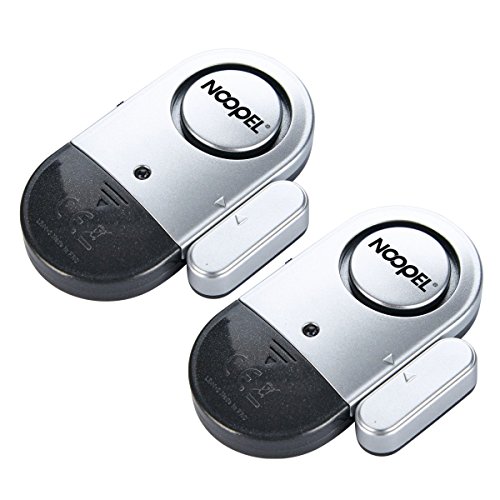
Door Alarms for Kids Safety 120dB Window Alarms for Home Security Review — A Noopel pick in Home Security Systems that focuses on real-world usability Key figures include 0.39 inches, 2 , 3 .
Dealing With Drafts, HVAC, and Movement
Drafts from open windows, fans, or air conditioning units can cause curtains, blinds, or even hanging decorations to move, which might set off motion or glass break sensors. Here’s how to minimize these triggers:
- Install sensors away from vents: Avoid placing motion or glass break sensors directly in the path of airflow.
- Secure loose objects: Use tie-backs for curtains and keep lightweight objects away from sensor fields.
- Keep windows closed when armed: Especially if your system is sensitive, try to minimize open windows or set up custom arming modes for when ventilation is needed.
- Check for “hot spots”: Use your hand to feel for drafts near sensors and reposition them if needed.
Some advanced sensors allow you to adjust sensitivity—experiment with these controls to find the sweet spot for your home’s airflow patterns.
Fine-Tuning Sensor Sensitivity
Most modern security sensors—especially motion detectors and glass break sensors—allow for some degree of sensitivity adjustment. This is crucial for filtering out minor disturbances while still catching genuine threats. Here’s how to tune your system:
- Start at the lowest setting: If you’re getting frequent false alarms, dial sensitivity down and gradually increase until you find the threshold that works.
- Use manufacturer guidelines: Consult your sensor’s manual for recommended settings based on room size and typical use.
- Test after adjustments: Walk through the detection area and simulate different scenarios (with and without pets, fans on/off, etc.) to confirm reliability.
- Check coverage maps: Some smart systems offer visualizations in their app, helping you see exactly what the sensor can “see.”
Be aware that too low a setting may leave blind spots, so always balance security with comfort.
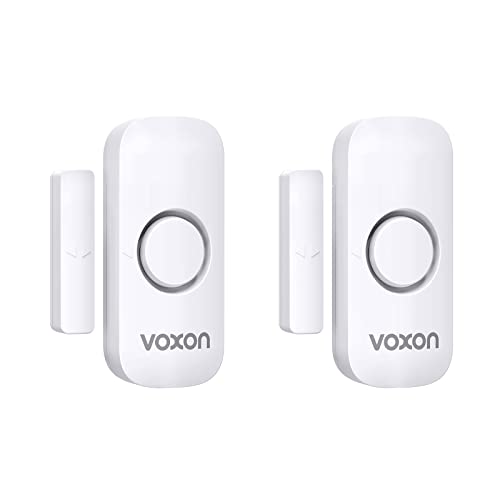
Door Alarms for Kids Safety Review — Practical home security systems from VOXON, summarized from hub features and listed measurements. Key figures include 0.78 inches, 2, 2.16535 .
Door and Window Sensors: Reliable, Low-False-Alarm Options
Magnetic contact sensors for doors and windows are among the most dependable elements in any security setup. They’re generally only triggered when a door or window is physically opened, making them inherently resistant to drafts, pets, or environmental changes. To get the most out of these devices:
- Ensure proper alignment: The sensor and magnet must be within the specified gap (often ½ inch or less) when the door/window is closed.
- Secure mounting: Use screws or high-strength adhesive to prevent the sensor from shifting over time.
- Test after installation: Open and close the door/window multiple times to verify consistent performance.
- Check battery status: Low battery can cause erratic behavior or false notifications—replace as needed.
If you’re looking for an extra layer of protection, many systems let you receive instant alerts for specific sensors, helping you monitor high-traffic or vulnerable points more closely.
Glass Break Sensors: Reducing False Positives
Glass break sensors are designed to listen for the unique sound of breaking glass. However, loud noises or clattering dishes can sometimes mimic these frequencies. Here’s how to minimize false positives without leaving windows unprotected:
- Proper placement: Mount sensors within 20 feet of the glass you want to protect, but avoid placing them too close to kitchens or areas with frequent loud noises.
- Adjust sensitivity: Most glass break sensors have adjustable settings—lower sensitivity if you’re getting frequent false alarms.
- Use in combination: Pair glass break sensors with entry sensors on windows for layered protection. This way, you’ll know if a window is broken and opened, reducing the chance of missing a real event.
- Test with manufacturer tools: Many companies provide apps or sound testers to help you verify correct operation.
Remember that some pets, especially birds, can generate high-pitched noises that confuse basic glass break sensors—if this is an issue, look for advanced models with better audio discrimination.
Smart Arming Modes: Tailoring Security to Your Lifestyle
One of the biggest advances in home security is the ability to customize arming modes. Instead of a simple “armed” or “disarmed,” many systems now offer:
- Home/Stay mode: Arms only perimeter sensors (doors/windows), leaving interior motion sensors off so you can move freely inside.
- Away mode: Arms all sensors, ideal when the house is empty.
- Custom schedules: Set the system to automatically arm/disarm at certain times or based on your phone’s location.
- Bypass feature: Temporarily ignore a specific sensor if you need to leave a window open or let a pet roam.
Take time to program these modes around your family’s routines. For example, use “Home” mode in the evening if your pets are active, and “Away” only when everyone (and the pets) are out.
Preventing User-Related False Alarms
Many false alarms are caused by simple human error: forgetting the system is armed, using the wrong door, or entering the wrong code. To cut down on these incidents:
- Train all household members: Make sure everyone knows how to operate the system, including guests or pet sitters.
- Use entry/exit delays: Most systems allow you to set a grace period (typically 30-60 seconds) to disarm after entering.
- Label entry points: Place reminders on doors that are armed to alert guests or children.
- Consider key fobs or app disarm: These can be faster and less error-prone than entering codes, especially with your hands full.
Routine checks and clear communication are often the simplest ways to prevent accidental alarms.
Regular Maintenance and Testing
Even the best-configured system will produce false alarms if not properly maintained. Regular upkeep ensures sensors remain accurate and reliable:
- Clean sensors: Dust, spider webs, or pet hair can interfere with detection. Wipe down your sensors every few months.
- Check batteries: Set reminders to replace batteries in all wireless sensors at least once a year, or as recommended.
- Test the system: Use your system’s built-in test mode to verify every sensor and alarm at least quarterly.
- Update firmware: If your system supports over-the-air updates, accept patches and improvements to fix bugs or enhance performance.
Well-maintained systems are less likely to produce nuisance alerts and more likely to respond properly in an emergency.
Creating a False Alarm Response Plan
No matter how careful you are, the occasional false alarm can still happen. Having a response plan minimizes disruption and ensures your system stays in good standing with monitoring services (and local authorities):
- Know your monitoring policy: Many alarm companies will attempt to call you before contacting authorities. Keep your contact information up to date.
- Use unique safe words: Set a code word or phrase with your monitoring company to quickly confirm false alarms.
- Record frequent issues: If you notice a pattern—like a specific sensor or time of day—investigate and fix the root cause.
- Educate all users: Ensure everyone knows how to silence and reset the alarm if needed.
Responding quickly and calmly helps avoid unnecessary emergency dispatches and potential fines.

First Alert BRK SMI100-AC Hardwired Smoke Detector with Battery Backup Review — An editorial look at this First Alert option for smoke detectors & fire alarms — specs first, marketing second. Key figures include 6 pack, 120, 9.
When to Upgrade: Modern Solutions for Fewer False Alarms
If you’ve tried all the above steps and still experience frequent false alarms, it may be time to consider upgrading your equipment. Advances in sensor technology, smarter algorithms, and more customizable systems have made it easier than ever to improve reliability. Signs you may need an upgrade include:
- Persistent false alarms from older sensors: Aging devices may become less accurate over time.
- Lack of pet-immune or adjustable sensors: Newer models are much better at filtering out common household activity.
- No smart arming or bypass options: If your system only offers basic arm/disarm functions, you’re missing out on flexible modes that cut down on user error.
- Poor integration with mobile devices: Modern systems let you check and control sensors from your phone, making it easier to respond to and manage alerts.
When upgrading, look for systems with positive reviews specifically about low false alarm rates and user-friendly controls. This can make all the difference in balancing safety with everyday convenience.
Summary: Secure, Comfortable, and False Alarm-Free
Reducing false alarms is about more than just tweaking a few settings—it’s about building a system that fits your family’s lifestyle. By choosing the right sensors, adjusting for pets and drafts, fine-tuning sensitivity, and staying on top of maintenance, you can dramatically cut down on nuisance alerts without leaving your home vulnerable.
Remember, a little planning goes a long way. The key is to treat your security system as a living part of your home—one that should be tested, reviewed, and updated as your needs evolve. For more tips and recommendations tailored to your situation, don’t miss our complete guide to alarms and smart security.
With the right approach, you can enjoy peace of mind—without the stress of constant false alarms.
Common Mistakes That Lead to False Alarms
Even the most advanced security systems can be undermined by simple user mistakes. Recognizing and avoiding these errors can significantly reduce your false alarm rate:
- Incorrect sensor installation: Placing sensors near heat sources, vents, or direct sunlight can cause environmental changes that trigger alarms.
- Neglecting to update user codes: Forgetting to update or delete old user codes when residents or staff change can result in accidental activations.
- Not training household members: Ensure everyone in your home understands how to arm, disarm, and use the system properly—including guests or babysitters.
- Ignoring low battery warnings: Failing batteries can cause sensors to malfunction or send erratic signals to the control panel.
- Overlooking regular testing: Without routine tests, you may not realize a sensor is misaligned or malfunctioning until it triggers a false alarm.
Take time to review your system’s manual and set reminders for regular checks. Many false alarms are preventable with just a bit of attention to detail.
Maintenance Tips for Reliable Alarm Performance
Proper maintenance goes a long way in minimizing false alarms and ensuring your security system operates when you need it most. Here’s what you should do:
- Clean sensors regularly: Dust, spider webs, and insects can interfere with motion detectors and other sensors. Use a soft brush or compressed air for cleaning.
- Check batteries and power supplies: Replace batteries in all sensors and control panels at least once a year or as recommended by the manufacturer. If your system is wired, inspect for loose connections or corrosion.
- Inspect mounting and alignment: Ensure all sensors are securely attached and properly aimed. Slight shifts over time can change their coverage area.
- Test your system monthly: Most alarm panels have a “test” mode. Use it to verify that each sensor is communicating with the main unit and responding as expected.
- Update firmware/software: If your system is smart-enabled, check for manufacturer updates to improve reliability and reduce bugs that can cause false alerts.
Consider keeping a maintenance log—this helps you track battery changes, sensor cleaning, and any adjustments, making troubleshooting much easier if problems arise.
Checklist: Reducing False Alarms Without Sacrificing Security
- Choose sensors designed for your environment (pet-immune, glass break, etc.).
- Mount sensors away from air vents, windows, and heat sources.
- Regularly clean and inspect all alarm components.
- Test your system monthly—including all entry points and motion zones.
- Educate all household members and frequent visitors on system operation.
- Keep your contact information and user codes up to date.
- Set appropriate entry and exit delays to allow enough time for arming/disarming.
- Enable notifications for low batteries or system malfunctions.
- Integrate cameras or verification devices if possible to confirm alerts before calling authorities.
Use this checklist as part of your regular home security review to stay ahead of potential false alarms.
Frequently Asked Questions About False Alarms
How can I tell if my motion sensor is too sensitive?
If your alarm triggers when there’s no clear cause—especially from small pets, HVAC airflow, or even shadows—your motion sensor may be set too sensitive. Try adjusting its sensitivity settings or repositioning it higher on the wall, angled away from high-traffic or heat-producing areas.
Can weather changes cause my alarm to go off?
Yes, sudden temperature changes, high winds, or storms can sometimes trigger poorly placed sensors, especially glass break detectors or those near drafty windows. Ensuring proper placement and using sensors with environmental compensation features can help prevent these types of false alarms.
What should I do if my alarm system keeps going off for no reason?
First, check for obvious causes like low batteries, loose sensors, or new household items (fans, decorations) near sensors. Clean the sensors and test the system. If the problem persists, contact your alarm provider for professional troubleshooting, as there may be a hardware or software issue that needs addressing.
Is it safe to lower the sensitivity of my sensors?
Lowering sensitivity can reduce false alarms but may also decrease your system’s ability to detect real threats. The key is to find the right balance—test adjustments thoroughly and monitor for both false and missed alarms. If in doubt, consult your security provider for recommendations tailored to your home and lifestyle.
How often should I review or update my alarm system?
Review your system and perform maintenance at least twice a year, or whenever you make significant changes to your home (new pets, renovations, etc.). Technology evolves, so consider upgrading sensors or panels every few years to take advantage of improved false alarm prevention features.