
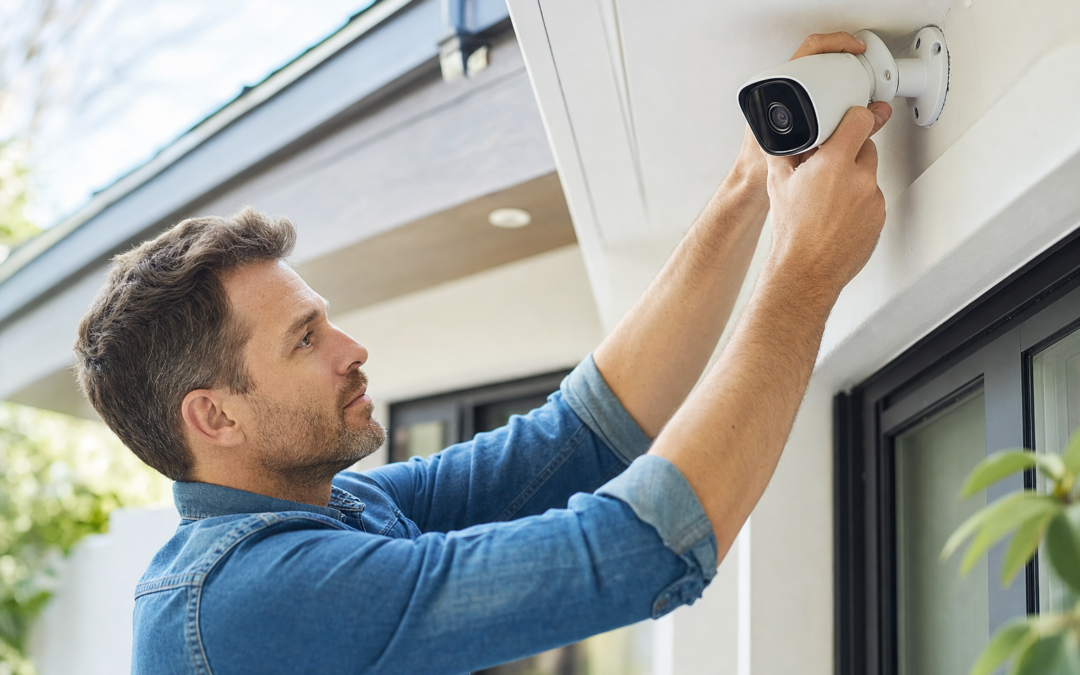
Before investing in any home security gear, it’s critical to assess your current setup and identify your unique vulnerabilities. A thorough pre-purchase audit not only saves money but also ensures you choose the right tools for real risks—not just what’s trending. This comprehensive home security checklist will guide you step-by-step through an actionable audit, covering lighting, Wi-Fi, insurance needs, and more.
Whether you’re a first-time homeowner or upgrading your defenses after a recent incident, this checklist will clarify what to inspect, what to document, and how to prioritize upgrades. By the end, you’ll know exactly what gear fits your situation—and how to avoid common mistakes. For more on specific topics and gear reviews, visit our home security hub for in-depth guides.
1. Exterior Audit: Entry Points and Visibility
Start your security review outside. Walk the perimeter of your home during both daylight and nighttime hours. Look for areas where someone could approach unseen or gain entry easily. Key questions to consider:
- Are your front and back doors made of solid material, with sturdy frames?
- Are windows secured with locks, and are any obscured by landscaping?
- Are garage and basement doors regularly used, and do they have deadbolts or additional reinforcements?
- Is your house number visible from the street for emergency services?
Take notes and photos on your phone. Pay special attention to hidden entrances, broken fences, or any spots where a would-be intruder could remain out of sight.
2. Lighting Assessment: Deterrence and Coverage
Effective lighting is one of the simplest, most cost-effective deterrents. Review all exterior lights at night:
- Do you have motion-activated lights at every entry point?
- Are paths to doors and between buildings well lit?
- Are bulbs bright enough, and are fixtures free of obstructions?
- Do you notice dark zones near sheds, side gates, or the driveway?
For large or irregular properties, consider mapping your lighting coverage on paper. Replace burnt-out bulbs immediately, and note where new fixtures or solar-powered lights could help.
3. Windows and Glass: Weak Points and Solutions
Windows and glass doors are common entry points. Check each one for the following:
- Are all window locks functional and engaged?
- Are basement and ground-floor windows reinforced or covered by security film?
- Is there a way to detect glass breakage if you’re not home?
Specialized sensors can alert you to shattered glass in real time, which is vital for full coverage:

Ring Sensors: Glass Break Sensor (newest model) Review — Practical categories from Ring, summarized from hub features and listed measurements. Key figures include 2 , 53, 2.
Don’t forget to inspect skylights, transoms, and any decorative glass that may be accessible from outside.
4. Doors: Hardware, Hinges, and Smart Access
Each exterior door should be a barrier—not a vulnerability. During your audit, inspect:
- Deadbolts: Are they at least one inch long and installed correctly?
- Strike plates: Are they secured with three-inch screws into the framing?
- Hinges: Are exposed hinges on outward-swinging doors secured with non-removable pins?
- Smart locks: Do you need remote access or keyless entry for family members?
Document the brand and condition of existing hardware. If any door feels “loose” or has visible gaps, add weatherstripping or a security bar to your to-do list.
5. Yard and Perimeter: Fencing, Gates, and Visibility
A secure perimeter slows down intruders and buys you time. As you walk your property:
- Are all gates lockable and in good repair?
- Is your fence tall enough, and does it have gaps or rot?
- Could someone hide behind trees or bushes near your home’s walls or windows?
- Are security signs and window decals visible from the street to deter opportunists?
A clear, visible warning can be a powerful deterrent:

10″ x 28″ Home Security System Sign Review — An editorial look at this AzReference option for yard signs — specs first, marketing second. Key figures include 10 , 10 inch, 40 .
Trim back vegetation, repair fence sections, and consider adding gravel or noisy surfaces under windows to make stealthy approaches difficult.
6. Wi-Fi and Network Security: The Digital Audit
As more security devices rely on Wi-Fi, your home network becomes a critical defense layer. Start your digital security audit with these steps:
- Change your router’s default admin password to a strong, unique code.
- Enable WPA3 (or at least WPA2) encryption on your wireless network.
- Rename your network SSID to something generic (not your family name or address).
- Consider a separate “guest” network for visitors and smart devices.
- Update firmware on your router and all connected devices regularly.
If you already have cameras or alarms, check that their apps and cloud accounts use two-factor authentication. Make a list of all devices connected to your home Wi-Fi and periodically review for unknown connections.
7. Alarm Systems: Current State and Upgrade Paths
Many homes have aging alarm panels or basic sensors that are out of date. During your audit:
- Test existing alarms, sirens, and sensors. Replace batteries as needed.
- Check if your system notifies you remotely (via app, text, or call) when triggered.
- Evaluate coverage: Are all doors, windows, and key rooms monitored?
- Does your system integrate with smart home platforms or require professional monitoring?
Modern security systems offer wireless installation, mobile alerts, and easy expansion:
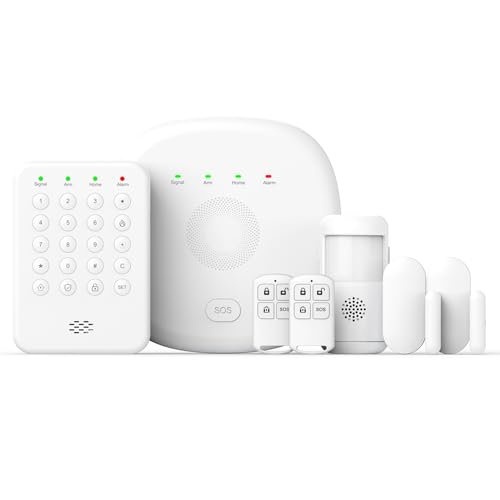
2026 Home Security System Review — An editorial look at this PGST option for home security systems — specs first, marketing second. Key figures include 1, 2 , 7 .
Keep records of your current alarm system’s make, model, and monitoring contract (if any). This will help you compare upgrade options or negotiate with providers.
8. Cameras: Placement, Coverage, and Storage
Surveillance cameras are most effective when strategically placed and properly configured. During your audit, consider:
- Do you have cameras covering all entry points, driveways, and main walkways?
- Are cameras mounted high enough to avoid tampering, but angled to capture faces?
- Is night vision clear, and do cameras record in sufficient resolution?
- Do you have a reliable way to store footage (cloud, SD card, or NVR)?
- Are your cameras vulnerable to Wi-Fi dropouts or power outages?
Look for blind spots and overlap in fields of view to avoid gaps in your coverage. If you’re considering an upgrade, opt for systems with strong encryption and remote access:

2K Security Camera System Review — An editorial look at this Gianteye option for home security systems — specs first, marketing second. Key figures include 100, 2 hours, 360.
Review your state’s privacy laws regarding outdoor cameras, especially if they face public sidewalks or neighboring properties.
9. Insurance Review: Documentation and Discounts
Homeowner’s or renter’s insurance can offset losses from burglary, but only if you have the right coverage and documentation. During your audit:
- Photograph all major valuables and keep receipts in a secure location (digital and physical copies).
- Review your policy’s limits for electronics, jewelry, and cash.
- Ask your agent about discounts for professionally monitored alarms, cameras, or deadbolts.
- Document any security upgrades you install—insurers may require proof for discount eligibility.
Some insurers offer significant savings (5-20%) for homes with certified security systems. Keep your insurance contact info handy in case you need to file a claim or update your records.
10. Emergency Planning: Response and Communication
Even the best gear is only as effective as your family’s response plan. As part of your audit, review:
- Does everyone know how to arm/disarm the alarm and use emergency codes?
- Have you practiced a home evacuation drill for fire or break-in scenarios?
- Are emergency numbers posted in an obvious place, not just saved on phones?
- Do you have a designated safe room or meeting point outside the home?
- Are flashlights, chargers, and first aid kits accessible and stocked?
Update your emergency contacts and make sure every adult and older child knows the basics of your security system. Consider giving a trusted neighbor or nearby relative a backup key or code in case of emergency.
11. Maintenance: Regular Checks and Upkeep
Security isn’t a one-time project. Set reminders for:
- Testing alarms and sensors monthly
- Replacing batteries in smoke detectors and wireless security devices
- Cleaning camera lenses and checking for obstructions
- Inspecting locks and doors for wear or weather damage
- Updating passwords on Wi-Fi and smart devices quarterly
Document each maintenance check in a simple notebook or digital log. This record can help troubleshoot issues or provide proof of diligence to insurers or law enforcement.
12. Prioritizing Upgrades: Making a Plan
After your audit, you’ll likely have a list of needs and wants. Prioritize upgrades as follows:
- Fix critical weaknesses (broken locks, dark entryways, or missing alarms)
- Add deterrents (visible signs, cameras, and lights)
- Upgrade convenience and monitoring (smart locks, remote alerts)
- Expand coverage (additional sensors, glass break detectors)
Set a realistic budget and timeline. Many improvements—like better lighting or security film—are affordable and can be installed in an afternoon. For more complex gear, research compatibility with your existing setup before purchasing.
13. Common Mistakes to Avoid
Even well-intentioned homeowners can overlook key security gaps. Watch out for these frequent missteps:
- Relying solely on cameras or alarms without physical reinforcements
- Ignoring second-story windows or basement entrances
- Overlooking Wi-Fi security, leaving smart devices vulnerable
- Letting landscaping provide cover for intruders
- Not checking insurance requirements before installing new gear
Review your audit periodically, especially after renovations or changes in household routines. Stay alert to new vulnerabilities as your home and neighborhood evolve.
14. Final Thoughts: Building a Resilient Security Plan
An effective home security strategy starts with a thorough audit—not a trip to the hardware store. By assessing your lighting, Wi-Fi, insurance, and physical barriers first, you’ll make smarter purchases and avoid unnecessary gear. Remember, the goal is layered defense: deter, detect, delay, and respond.
For more detailed guides and product reviews tailored to your needs, visit our home security hub. With a clear checklist and a thoughtful plan, you can protect your home—and your peace of mind—without overbuying or missing critical gaps.
6. Home Security Audit Checklist
To ensure you don’t overlook any crucial details, use this actionable checklist as you evaluate your home’s security. Print it or save it on your phone for your walk-through:
- Doors
- All exterior doors are solid and have working deadbolts.
- Strike plates are reinforced with long screws.
- Hinges are secure, especially on outward-opening doors.
- Smart locks or peepholes installed where needed.
- Windows
- All windows have functional locks.
- Ground-level windows have security film or bars.
- Glass break sensors installed, especially in vulnerable rooms.
- Lighting
- All entry points are illuminated with motion-activated lights.
- Walkways and driveways are well lit, with no dark spots.
- Outdoor bulbs checked and replaced as needed.
- Perimeter
- Fencing and gates are in good repair and locked.
- No large shrubs or trees obscure windows or doors.
- Security signs are visible from the street.
- Garage and Outbuildings
- Garage doors have automatic closers and manual locks.
- Sheds and other outbuildings are secured with padlocks.
- Wi-Fi and Smart Devices
- Wi-Fi router uses a strong, unique password and WPA3 encryption if available.
- All smart cameras and alarms are updated to the latest firmware.
- Two-factor authentication is enabled for all connected accounts.
- Insurance and Documentation
- Home inventory list is up to date, with photos and serial numbers.
- Insurance policies reviewed for coverage gaps.
- Important documents are stored securely, either in a safe or offsite.
Refer back to this list before purchasing any new security gear. Addressing these basics will help you avoid overspending on unnecessary technology and focus on proven deterrents.
7. Common Home Security Mistakes to Avoid
Even well-intentioned homeowners can overlook simple weaknesses. Here are some of the most frequent mistakes—and how to avoid them:
- Relying solely on cameras. Cameras are useful for monitoring, but without strong locks or alarms, they don’t physically stop intruders.
- Hiding spare keys outside. Burglars know to check under mats, flowerpots, or fake rocks. Instead, leave spare keys with a trusted neighbor or use a lockbox.
- Neglecting upper-floor windows. Even second-story windows can be a target if there’s easy access via a porch roof or tree.
- Forgetting garage doors. A garage often leads directly into the home. Always secure the door between the garage and house, and don’t leave garage remotes in unlocked cars.
- Ignoring landscaping. Overgrown bushes and trees provide cover for criminals. Keep vegetation trimmed, especially near entry points.
- Using outdated or default passwords on smart devices. Many break-ins now start with hacking. Change all default passwords and enable security updates.
- Not testing alarm systems regularly. False confidence in a system that isn’t armed, has dead batteries, or is otherwise malfunctioning can be dangerous.
By learning from these common oversights, you can create a more resilient security plan and avoid wasting money on gear that doesn’t address your real needs.
8. Ongoing Maintenance: Keeping Your Security Effective
Security isn’t a one-time project. Regular maintenance ensures your investments continue to protect you. Set a recurring reminder to:
- Test all alarms, sensors, and cameras monthly. Replace batteries and check Wi-Fi connectivity.
- Inspect locks and hardware. Tighten screws, lubricate moving parts, and replace worn or rusty components.
- Walk the perimeter every season. Look for new vulnerabilities, such as storm damage to fences or overgrown landscaping.
- Update software and firmware. Smart devices need regular updates for optimal security and functionality.
- Review your emergency plan. Make sure all household members know what to do in case of a break-in or alarm trigger.
- Update your home inventory. Keep documentation current, especially after major purchases or renovations.
These small steps can dramatically reduce your risk—and help you spot minor issues before they become expensive problems.
9. Frequently Asked Questions About Home Security Audits
How often should I do a home security audit?
Ideally, perform a comprehensive audit once a year and after any major changes—such as renovations, moving in or out, or after a neighborhood incident. Smaller walk-throughs every few months will help you stay ahead of emerging risks.
Do I really need smart home security devices?
Not necessarily. While smart devices offer convenience and some advanced features, the basics—solid locks, good lighting, and secure windows—should come first. Invest in smart gear only after physical weaknesses are addressed, and always prioritize devices with strong cybersecurity protections.
What’s the best way to secure sliding glass doors?
Sliding doors are a common weak point. Use a security bar or dowel in the track to prevent forced opening, and consider adding a pin lock or shatter-resistant film. Glass break sensors and visible security signs also help deter opportunists.
How can I secure my home if I’m renting?
Even renters can boost security without permanent changes. Use portable door and window alarms, battery-powered cameras, and motion lights that don’t require wiring. Always check your lease and get landlord permission before making any modifications.
Should I tell neighbors about my security upgrades?
Yes, trusted neighbors can be allies in home security. Share information about suspicious activity, and consider joining or forming a neighborhood watch group. However, keep the details of your security systems (such as codes or exact camera locations) private.
How do I prioritize which upgrades to make first?
Address the most obvious vulnerabilities first—such as broken locks, missing lights, or overgrown shrubs near windows. Next, focus on entry points and areas with valuable items. Use your audit checklist to guide spending and avoid impulse buys on unnecessary gadgets.
10. Next Steps: Turning Your Audit Into Action
Once you’ve completed your home security audit, organize your findings into three categories: immediate fixes (broken locks, burnt-out lights), short-term upgrades (adding sensors, improving Wi-Fi security), and long-term projects (new fencing, advanced camera systems). Create a timeline and budget for each phase, and tackle the most critical issues first. Remember, the goal isn’t perfection, but steady, realistic improvement based on your home’s unique needs.
For more detailed advice on specific products, installation tips, and advanced strategies, explore our home security hub or contact a local security professional for a personalized assessment.