
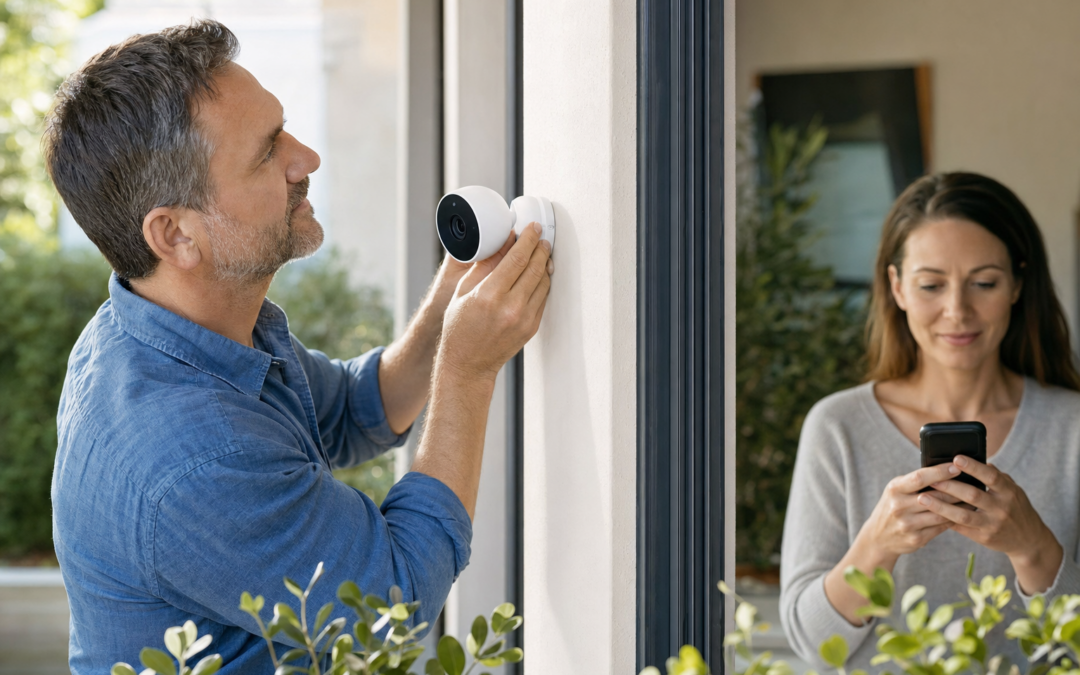
When it comes to protecting your home, two main routes stand out: do-it-yourself (DIY) security systems and professionally monitored setups. Each offers unique advantages, costs, and demands on your time and skills. If you’re weighing which direction to go—especially as equipment gets smarter and subscription models more common—understanding the core differences is essential for both your peace of mind and your wallet.
In this guide, we’ll break down the key factors that separate DIY and monitored home security, from up-front costs and contract pitfalls to installation requirements and real-world emergency response. We’ll also highlight product picks and practical tips for everything from sensors to signs. By the end, you’ll have a clear sense of which approach matches your household needs and comfort level with tech.
Understanding DIY Home Security Systems
DIY home security systems are designed for homeowners and renters who want flexibility, control, and affordability. These systems typically come as kits with sensors, cameras, and control panels you install yourself. Most leverage wireless connections and can be managed through smartphone apps, eliminating the need for professional setup. The appeal lies in skipping installation fees, avoiding long-term contracts, and having the freedom to customize and expand your system as needed.
DIY systems are widely available, with products ranging from basic door/window sensors to advanced smart cameras and glass break detectors. Some offer optional monitoring plans, but many users opt for self-monitoring, relying on real-time alerts to their phones if something goes wrong. This puts you in the driver’s seat but also means you’re responsible for responding during an emergency.

Ring Sensors: Glass Break Sensor (newest model) Review — Practical categories from Ring, summarized from hub features and listed measurements. Key figures include 2 , 53, 2.
What Is a Monitored Home Security System?
A monitored home security system connects your home to a professional security company’s central monitoring station. When a sensor triggers—whether due to a break-in, fire, or other emergency—the monitoring center is notified instantly. Trained staff can verify the event (sometimes via two-way audio or video) and dispatch police, fire, or medical responders if needed.
Monitored systems are commonly installed by professionals, though some modern brands offer hybrid options where you install the equipment but pay for 24/7 monitoring. These setups often require contracts, monthly fees, and sometimes proprietary hardware. The main advantage is that you don’t have to be glued to your phone—someone else is always watching over your property, even if you’re asleep or away on vacation.
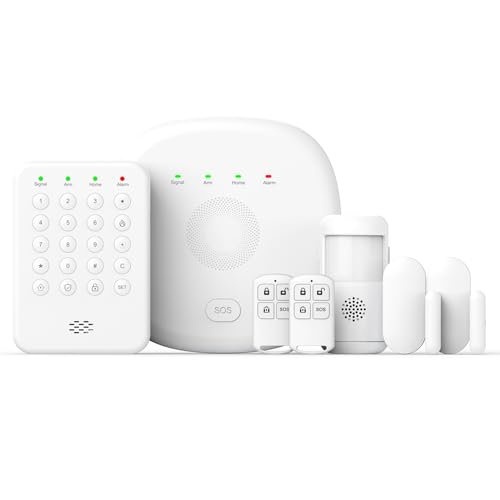
2026 Home Security System Review — An editorial look at this PGST option for home security systems — specs first, marketing second. Key figures include 1, 2 , 7 .
Cost Comparison: Upfront and Ongoing Expenses
Cost is a major factor in the DIY vs. monitored debate. Here’s how the two approaches typically break down:
- DIY Systems: Expect to pay $100–$500 upfront for starter kits, depending on features and coverage. Some systems, like the Ring Glass Break Sensor, allow for gradual expansion. Ongoing costs are minimal if you self-monitor; optional cloud storage or advanced features might run $3–$10/month.
- Monitored Systems: Equipment costs can be similar or higher ($200–$1,000+ depending on brand and home size), but you’ll also pay monthly monitoring fees—typically $20–$50/month. Many require multi-year contracts, and some charge for installation ($99–$199 is common).
Be wary of hidden fees in monitored setups, such as early termination penalties, activation charges, or required equipment upgrades. DIY systems tend to be more transparent, letting you pay as you go and avoid commitments.
Emergency Response: Who’s Watching?
The biggest practical difference between DIY and monitored systems is how an emergency is handled. With DIY, you receive instant alerts on your phone, but it’s up to you (or a trusted contact) to call 911 or respond. This works well if you’re always reachable and confident in handling false alarms, but it can be stressful or unreliable if you travel often, work shifts, or simply miss a notification.
Monitored systems provide a safety net—trained operators assess the situation and contact first responders, often within seconds. Some providers offer “video verification,” which can lead to faster police response and fewer false alarms. However, keep in mind that alarm verification policies and police response times vary by city.
Installation: Skills, Tools, and Time Commitment
DIY systems are engineered for self-installation. Most require little more than a screwdriver and a smartphone, with peel-and-stick sensors and guided app instructions. Even renters can typically install these without damaging walls or doors. The learning curve is low, but you’ll need to read instructions carefully and test each component.
Monitored systems often require professional installation—especially if hardwiring is involved. Installers can assess blind spots, recommend sensor placement, and ensure everything is working. This can be a relief if you’re not tech-savvy, but it adds cost and may require scheduling and waiting for an appointment. Some modern brands now offer “pro monitoring” for DIY hardware, blending convenience with flexibility.
Contracts and Commitment: Flexibility vs. Lock-In
One of the top reasons people choose DIY security is to avoid contracts. Most DIY kits are pay-as-you-go: buy the hardware, opt in or out of cloud features, and cancel anytime. This is ideal for renters, frequent movers, or anyone hesitant to commit.
Monitored systems, in contrast, usually require a 1-3 year contract. Early termination can be costly. Some companies offer month-to-month monitoring for a premium, but it’s less common. Always read the fine print—some “free” equipment deals lock you into hefty long-term agreements that can outweigh any savings.
Reliability and Maintenance: Who Handles Problems?
DIY systems put maintenance in your hands. You’re responsible for checking batteries, updating firmware, troubleshooting connectivity, and replacing faulty components. This is manageable for most users, but if you travel frequently or aren’t comfortable with troubleshooting, it can become a hassle.
Monitored systems often include support and routine maintenance. If a sensor fails or the system goes offline, the monitoring company may alert you and schedule repairs. Some even offer extended warranties or free upgrades during your contract. For busy households or tech-averse users, this peace of mind can be worth the premium.
Customizability and Expansion
DIY security systems excel at customization. You can start small—a few door sensors and a camera—and add new gear as your needs change. Many brands are compatible with smart home platforms like Alexa, Google Assistant, or Apple HomeKit, letting you integrate everything from lights to smart locks.
Monitored systems tend to be more restrictive; you’re often limited to the provider’s ecosystem and might face additional charges for extra sensors or cameras. Some companies offer “upgrade paths” if you renovate or move, but always check what’s included—and what costs extra—before signing up.

2K Security Camera System Review — An editorial look at this Gianteye option for home security systems — specs first, marketing second. Key figures include 100, 2 hours, 360.
Deterrence: Does a Security System Prevent Crime?
Visible security systems—whether DIY or monitored—can deter would-be intruders. Yard signs and window decals send a clear message that your home is protected. Some studies suggest burglars are less likely to target homes with obvious cameras, alarms, or warning signage.
DIY users can purchase and install signs independently, such as the Home Security System Sign, while most monitored companies provide branded decals and placards upon installation. For best results, combine signage with actual working equipment; fake signs alone won’t fool determined criminals.

10″ x 28″ Home Security System Sign Review — An editorial look at this AzReference option for yard signs — specs first, marketing second. Key figures include 10 , 10 inch, 40 .
User Experience: App Control and Notifications
Modern DIY systems prioritize app-based control. You can arm/disarm your system remotely, check live video feeds, set custom alert rules, and even grant temporary access to guests or contractors. Many monitored systems have caught up, offering similar features via proprietary apps—but some still lag behind in user interface and customization.
If you value granular control and want to tinker with settings, DIY systems usually offer more flexibility. Monitored systems may lock down certain features for security or simplicity, requiring you to call customer support for changes.
Which Setup Is Best for Your Home?
The choice between DIY and monitored home security depends on your budget, lifestyle, and comfort level with technology. Here are some guidelines:
- Choose DIY if: You want to save money, avoid contracts, and don’t mind managing alerts or maintenance yourself. DIY is also ideal for renters or those planning to move soon.
- Choose Monitored if: You want professional backup in an emergency, don’t mind monthly fees, and prefer not to handle tech troubleshooting or installation. This is a good fit for families, frequent travelers, or anyone with valuables at risk.
Some households choose a hybrid approach: installing a robust DIY system with optional professional monitoring during vacations or travel periods. Others start with DIY and upgrade to monitoring as their needs change.
Key Takeaways and Next Steps
Both DIY and monitored home security systems offer strong protection for US homes, but they cater to different priorities. DIY wins on upfront savings, flexibility, and control, while monitored setups provide round-the-clock backup and professional response. Consider your budget, willingness to commit, and how hands-on you want to be with installation and maintenance.
For more in-depth reviews, installation guides, and practical home security strategies, check out our comprehensive home security hub for additional resources.
By weighing the factors above and choosing reliable, well-reviewed products, you can tailor a system that keeps your home safe on your terms—whether you’re a DIY enthusiast or prefer the assurance of professional monitoring.
Home Security System Installation & Maintenance Checklist
Whether you choose a DIY or monitored system, careful planning and regular maintenance are key to ensuring your setup works when you need it most. Use the checklist below to guide your installation and ongoing upkeep:
- Assess Entry Points: Identify all doors, windows, and other potential entry points. Ensure you have enough sensors and cameras to cover these areas.
- Read the Manual: Before starting, thoroughly review the manufacturer’s installation guide. This helps avoid common mistakes and ensures proper setup.
- Test Components Before Mounting: Power up and pair all sensors, cameras, and control panels to confirm they work before permanent installation.
- Optimal Placement: Install motion sensors at head height and away from heat sources or direct sunlight. Position cameras to avoid glare and ensure clear views of entry points.
- Secure Devices: Use appropriate mounting hardware and consider tamper-resistant screws for outdoor equipment.
- Connect to Power and Wi-Fi: Make sure all devices have reliable power sources and strong Wi-Fi signals. For monitored systems, confirm cellular backup is active if available.
- Label Zones: In your system’s app or control panel, clearly label each sensor’s location (e.g., “Front Door,” “Garage Window”) for easier troubleshooting.
- Test Alarms and Alerts: Trigger each sensor to verify you receive notifications (and, for monitored setups, that the monitoring center responds appropriately).
- Regularly Replace Batteries: Set reminders to check and replace batteries in sensors and keypads at least twice a year.
- Update Firmware: Keep your system’s software up to date to patch vulnerabilities and access new features.
- Review Camera Angles: Periodically check live feeds to ensure nothing has shifted or obstructed your cameras’ views.
- Test Communication: For monitored systems, conduct regular test calls with the monitoring center to confirm smooth emergency response.
Common Mistakes When Setting Up Home Security
Even the best security systems can fall short if not installed and managed correctly. Here are frequent errors to avoid:
- Ignoring Blind Spots: Overlooking areas like side gates, basement windows, or second-story balconies can leave your home vulnerable.
- Poor Sensor Placement: Installing sensors too far from doors/windows or in locations with frequent pets can result in missed detections or false alarms.
- Weak Passwords: Failing to set strong, unique passwords for your system’s app and Wi-Fi network can make it easier for hackers to gain access.
- Forgetting to Arm the System: Many break-ins occur when the security system is disarmed or in “home” mode. Set routines or reminders to arm your system, especially before bed or leaving home.
- Neglecting Regular Testing: Assuming your system will always work without periodic testing can lead to unpleasant surprises during real emergencies.
- Overreliance on Stickers/Signs: While deterrent signs help, they should supplement—not replace—real hardware and monitoring.
- Ignoring Software Updates: Outdated firmware can expose your system to cyber threats or cause compatibility issues.
- Not Informing Household Members: Everyone in your home should know how to arm/disarm the system and what to do if an alarm sounds.
Maintaining Your Home Security System: Best Practices
Ongoing maintenance is crucial to keep your security system functional and reliable. Here are steps to incorporate into your regular home care routine:
- Monthly System Checks: Test all sensors, alarms, and cameras monthly to ensure they are responsive and communicating with your hub or monitoring service.
- Battery Management: Most wireless sensors and keypads require batteries. Mark your calendar to check and replace them every 6–12 months, or sooner if you receive low-battery alerts.
- Clean Cameras and Sensors: Dust, cobwebs, and dirt can obscure camera lenses or block motion sensors. Gently clean these devices with a microfiber cloth every few months.
- Update Contact Information: For monitored systems, make sure your monitoring provider has up-to-date emergency contacts and phone numbers.
- Check Wi-Fi and Internet: Regularly verify that all connected devices have strong, reliable Wi-Fi signals. If you change your router or password, update your security devices accordingly.
- Review Event Logs: Use your system’s app to review recent activity and ensure there are no missed alerts or suspicious events.
- Test Cellular Backup: If your system includes cellular backup, simulate an internet outage to confirm your security system remains online.
- Annual Professional Inspection: For monitored or hybrid systems, consider scheduling an annual checkup with your provider to test all components and update firmware.
Frequently Asked Questions About DIY and Monitored Home Security
Can I upgrade from DIY to monitored security later?
Yes, many homeowners start with a DIY system and later add professional monitoring for added peace of mind. Some brands, like SimpliSafe and Ring, offer optional monitoring plans that you can activate or cancel at any time. Before purchasing, check if your chosen system supports future monitoring upgrades and what, if any, hardware changes are required.
What happens if my internet or power goes out?
Most modern security systems have backup options. Many DIY and monitored systems include battery backups to keep key components running during outages. For internet disruptions, some monitored systems use cellular signals as a fail-safe. Always check your system’s specifications and regularly test backup features to ensure continuous protection.
Will police respond to a DIY alarm?
If you self-monitor and receive an alert, it’s up to you to verify the emergency and contact the authorities. In contrast, professionally monitored systems typically verify alarms before dispatching police, which can speed up emergency response and reduce false alarms. Some localities require alarm permits or confirmed emergencies before sending law enforcement, so check your area’s policies.
Are DIY systems secure from hackers?
DIY systems can be very secure if you follow best practices: use strong, unique passwords, enable two-factor authentication, keep software updated, and secure your home Wi-Fi network. Monitored systems follow similar protocols, but may have additional safeguards due to professional oversight. Always research a brand’s security track record before purchase.
Do I need a permit for a home security system?
Some cities and counties require permits for alarm systems, especially if they’re monitored and can trigger emergency dispatch. Check with your local authorities to see if a permit is needed and what the process involves. Failing to obtain a required permit can result in fines or delayed response times.
How can I avoid false alarms?
False alarms are a common concern and can sometimes lead to fines or loss of police response. To minimize them:
- Properly install and calibrate motion sensors, especially if you have pets.
- Educate all household members and frequent visitors on how to use the system.
- Regularly test and maintain sensors and batteries.
- Review event history to spot recurring issues and adjust settings as needed.
Is professional installation worth the cost?
Professional installation ensures your system is optimally placed, fully functional, and code-compliant. It’s especially valuable for large homes, complex setups, or if you’re not comfortable with tech. However, many DIY kits are designed for easy self-installation, saving you money if you’re willing to follow instructions. Consider your confidence level, home layout, and the complexity of your desired system when deciding.
Can renters install home security systems?
Absolutely. Many DIY systems are wireless and non-invasive, making them ideal for renters. Look for systems that use adhesive mounts or require minimal drilling. Always check your lease agreement and consult your landlord before installation, especially for cameras or outdoor components.
Quick Comparison Table: DIY vs Monitored Home Security
For a snapshot of the main differences, here’s a side-by-side comparison:
- DIY Systems:
- Lower upfront and ongoing costs
- Flexible installation and customization
- No contracts; self-monitoring puts you in control
- Relies on your availability for emergency response
- Easy to move or expand
- Monitored Systems:
- Professional emergency response 24/7
- Often requires contracts and higher monthly fees
- Installation may be professional or DIY (hybrid)
- Peace of mind when you’re unavailable
- May include insurance discounts (check with your provider)
Final Tips: Choosing What’s Right for Your Home
Ultimately, your choice between DIY and monitored home security depends on your budget, comfort with technology, and desired level of involvement. For tech-savvy homeowners who want flexibility and cost savings, DIY systems offer a compelling option. If you travel frequently, have a large property, or simply want professional oversight, a monitored system may be worth the investment. Whichever you choose, thoughtful installation, regular maintenance, and ongoing education for everyone in your household are key to maximizing your home’s security.